
Home Blog Page 12

The Creatorpreneurs Newsletter – Issue #14: Your List Of Tools for 2025

0

Hello Creatorpreneurs!

HAPPY HOLIDAYS, MERRY CHRISTMAS, AND A VERY HAPPY NEW YEAR TO YOU ALL! 🎉🎁🎄

Marc here! Along with Lisa, we’ve decided to play Santa (minus the questionable fashion choices) by bringing you a fantastic set of online tools that have had a massive impact on our business, Laughingbird Software, this past year. Think of them as our holiday gift to you—because nothing says “season of giving” like making your business life easier and more profitable.

So grab your favorite hot drink (we’re partial to coffee, because, well, caffeine fuels creativity), sit back, and dive into this fun, resource-stuffed list. And hey—bookmark this page! You’ll thank yourself later when post-holiday brain fog hits. 🎅


The Creatorpreneurs Newsletter – Issue #14: Your List Of Tools for 2025

(Full disclosure: Some of these links may be affiliate links, which means if you make a purchase, we earn a few extra bucks for more coffee—aka the lifeblood of creativity. ☕)

1. Link Whisper

Your secret weapon for better SEO and site navigation.

Manually adding internal links to your website is about as enjoyable as assembling Ikea furniture without instructions. Enter Link Whisper, the tool that makes internal linking ridiculously easy. This WordPress and Shopify plugin automatically suggests relevant links in real-time, helping visitors navigate your site effortlessly. Bonus: Google absolutely loves well-structured internal links, so this tool has SEO benefits baked right in.

Lisa uses this for her eBiking Today blog like it’s the Swiss Army knife of SEO. It’s like having a personal assistant that whispers, “Hey, link that post over here,” without being creepy.

2. Rytr.me

You can’t outsource your chores to AI yet, but AI can make writing a breeze. Meet Rytr.me, your AI-powered personal copywriter.

We’ve used Rytr for everything from website copy to email campaigns. What would normally take hours, Rytr cranks out in minutes—with zero frustration. It’s like having Shakespeare as your intern, only much cheaper and without an existential crisis about writing product descriptions.

3. AppSumo

Want pro-level business software without taking out a loan? AppSumo is your playground.

AppSumo offers killer discounts on tools you didn’t know you needed but suddenly can’t live without. We’ve snapped up software deals here that made us do a little happy dance. The trick is to snag the deals while they’re hot—because they often disappear faster than your patience during tax season.

4. The Graphics Creator Online

Create incredible graphics without needing a degree in design.

Professional design without the professional learning curve? Yes, please! The Graphics Creator Online lets you make stunning visuals for your business, social media, and more—without needing Photoshop skills (or the budget that comes with it!).

Click, drag, and boom—you’ve got eye-catching content that makes your business look polished and profesh. Need inspiration? Check out some graphic design tips here.

5. Fiverr

Wish you could clone yourself to get work done faster? Fiverr’s the next best thing.

Hire freelancers on Fiverr who can tackle everything from logo design to website fixes without breaking the bank. We’ve used it for projects big and small—the turnaround time is impressive, and the pricing is perfect for solopreneurs or small businesses on a budget.


Pro Tip: Start a Facebook Group in 2025!

Facebook loves Groups right now. Seriously—it’s like the VIP section on social media.

Groups are an easy (and free) way to build a loyal online community, whether you’re passionate about vintage arcade games, coffee roasting, or—heck—even competitive snail racing. The key is delivering consistent, valuable content. Do that, and you’ll have an engaged audience in no time.


FAQs

What is the Creatorpreneurs Newsletter?
It’s our way of sharing business tools, tips, and creative hacks (sprinkled with humor) to help creators like you succeed online.

Do you actually use these tools?
Yes! Every tool we recommend is something we’ve used to grow our own business. If it didn’t work—trust us, it wouldn’t make this list.

Why should I start a Facebook Group?
Groups help you grow a dedicated, engaged audience organically. Plus, Facebook prioritizes them, so your posts will likely get more reach than if you were just posting on a business Page.

Are these tools beginner-friendly?
Yep! No advanced degrees required. If you can click, type, and drag—you’re good to go.


Here’s to an Amazing 2025!

Thank you for being part of our amazing community. Here’s to another year of creativity, success, and endless coffee refills. Let’s make 2025 the year we crush our creator goals!

Warm wishes,

Marc & Lisa

Laughingbird Software

The Creatorpreneurs Newsletter – Issue #13 – Creativity Coming Your Way!

0

Welcome, Creatorpreneurs! Let’s Embrace Creativity Together

Hey there, Creatorpreneur family! Welcome to The Creatorpreneurs Newsletter – Issue #13 – Creativity Coming Your Way! This week, we’re loading you up with creativity-packed insights to help you stay motivated and sane as the holiday season barrels full speed ahead (seriously, where did the year go?!). So, grab your coffee (or something a little stronger—hey, no judgment), get comfy, and let’s dive into all the exciting updates we’ve got for you.

Seasonal Promotions: Staying Sane While Boosting Sales

If your to-do list is as long as Santa’s naughty-or-nice list, you’re not alone. The holidays can feel like an overwhelming whirlwind, but for Creatorpreneurs, they also present golden opportunities. Here’s how to grab that creative sleigh and ride through the chaos with strategy and style:

Make Your Promotions Count

  • Focus on what matters: Instead of spreading yourself thin promoting everything you’ve ever created, pick one or two key products or services to highlight. Less is definitely more in the holiday marketing game.
  • Capture eyeballs with visuals: Nobody has time for long-winded sales pitches right now. (Not even Grandma.) Use bold, attention-grabbing graphics to stop scrollers in their tracks.
  • Schedule like a pro: Automate social posts, emails, and ads so you can actually enjoy some holiday downtime. If only we could automate wrapping presents too—any takers on inventing that?

Need creative tools to make your life easier? Visit Laughingbird Software and discover resources that will help streamline your holiday marketing efforts. Your future self will thank you.

Black Friday: Are You Ready?

Oh, Black Friday—the creatorpreneur equivalent of the Super Bowl, but with fewer commercials and more last-minute panic attacks. It’s coming fast, and you’ll want to bring your A-game. Keep your eyes peeled for some jaw-dropping deals and new graphic sets from Laughingbird Software. If last year’s releases had you excited, just wait—this year’s lineup is next level. We guarantee it’ll light a fire under your creativity, possibly making you rethink your Thanksgiving dinner plans just so you can get designing ASAP.

Creatorpreneur Graphics of the Week: Get Ready to Be Blown Away

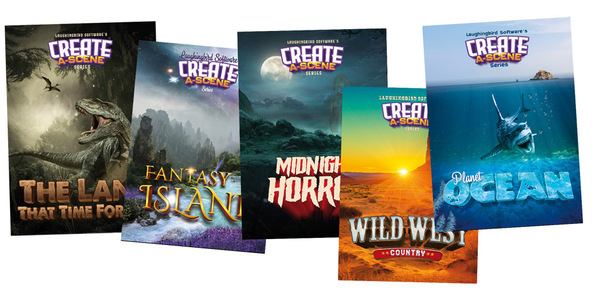
Have you ever wanted your graphics to leap off the screen and be more immersive? Enter our boldest innovation yet: the “Create-A-Scene” series. Think of it like having a backstage pass to a visual wonderland—except there’s no grumpy security guard stopping you from playing with all the fun elements.

Create-A-Scene Graphics by Laughingbird Software

With this brand-new pack, you can craft customized, layered scenes in minutes—faster than Uncle Bob’s famous Thanksgiving rants. Whether you want to build promotional materials, social media posts, or website banners that actually stand out, this set is a game-changer.

Need an easy way to craft jaw-dropping visuals? Check out The Graphics Creator, and prepare to level up your design game.

Graphics Creator Article of the Week

Still struggling to make your visuals heard above the holiday noise? (And boy, is there a lot of it.) We’ve got just the guide you need:


“18 Surefire Ways to Use Graphics to Promote Your Business”

This guide is loaded with insider tips, design hacks, and real-world examples to help you create holiday visuals that don’t just blend in—they pop. Trust us, once you start applying these tricks, you’ll be seeing that sweet engagement boost in no time.

Laughingbird’s Product of the Week: Just What Busy Creatorpreneurs Need

We see you. You’re juggling family gatherings, shopping madness, last-minute project deadlines, and Aunt Karen’s, um, “interesting” fruitcake. (Seriously, what is in that thing?) Finding time to create professional-level graphics right now might feel impossible.

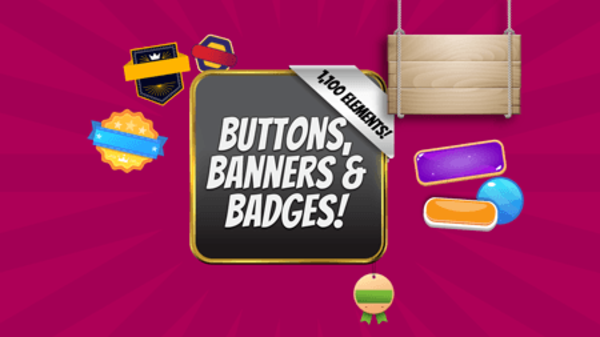
That’s why this week, we’re spotlighting Buttons, Banners, and Badges.

Laughingbird Software Buttons, Banners, and Badges

This toolkit is the design equivalent of an Instant Pot—quick, easy, and borderline magical. Just drag, drop, add text, and boom—you’ve got sleek, attention-grabbing graphics ready to roll. One less thing to stress about? We’ll take it.

Creatorpreneur Tip of the Week: Keep Yourself Sane This Holiday Season

The holidays can be a marathon, and if you’re running on caffeine and sheer willpower, you’re bound to crash. Take some time to recharge and avoid burnout with these simple (but essential) tricks.

  • Perfection is overrated: Not everything needs to be a flawless masterpiece. Imperfect graphics can still drive engagement. The key? Just put your message out there.
  • Hydrate, hydrate, hydrate: Your brain works better when it isn’t fueled solely by peppermint mochas. (Though we won’t judge a few holiday indulgences.)
  • Move that body: A short walk or spontaneous dance break can do wonders for your creativity. Bonus points if you make your own challenge-worthy TikTok routine.
  • Take guilt-free mental breaks: Whether it’s zoning out on a favorite show or quick meditation sessions, find time to unwind.
  • Don’t be afraid to say “no”: You are not Santa Claus. You do not have to say yes to everything. Protect your time!

FAQs: Your Top Creatorpreneur Holiday Questions Answered

How can I make my holiday promotions stand out?
Use bold, attention-grabbing graphics to cut through the noise. And keep it simple—one solid campaign is better than five scattered ones.

What’s the easiest way to create social media posts?
Templates! Laughingbird Software’s Buttons, Banners, and Badges pack makes it ridiculously easy to create polished promo images in minutes.

How do I stay productive and not burn out?
Take breaks, drink water, and don’t overcommit. Pace yourself and give that brain a break—it’ll thank you later.

Can I use Laughingbird’s tools if I have zero design skills?
Absolutely! Laughingbird Software is made for everyday creators who don’t have time to learn complicated design software. Just drag, drop, and create magic.

Wrapping Things Up

That’s a wrap on The Creatorpreneurs Newsletter – Issue #13 – Creativity Coming Your Way! We hope this edition has given you fresh inspiration while helping you navigate the holiday hustle like a pro.

Remember, stay creative, take care of yourself, and enjoy the process. Until next time—keep creating and keep thriving!

Cheers,
Marc & Lisa

The Creatorpreneurs Newsletter – Issue #12: Who Doesn’t Love Puzzles?

0

Can You Crack the Puzzle? The Creatorpreneurs Newsletter – Issue #12: Who Doesn’t Love Puzzles?

Oh, puzzles! They’re the intellectual equivalent of potato chips—you can’t solve just one. Unless, of course, you’ve ever found yourself staring at a 1,000-piece jigsaw of a sunflower field, slowly losing hope as the sea of yellow pieces mocks you. But hey, we’re not here to traumatize you with sunflower-induced frustration. Today, we’re talking about a much more enjoyable kind of puzzle: simple, fun, brain-teasing logic puzzles.

Now, let me throw one at you. It looks easy, but beware—you might start questioning every math lesson you’ve ever taken. Try it, overthink it, maybe even yell at your screen a little (we won’t judge). But most importantly, have fun with it.

“That’s nice, but how does this help my business?” Glad you asked! Running a business is a lot like solving a puzzle. You start full of enthusiasm, envisioning a future where you lounge by the beach, sipping on a piña colada while your passive income rolls in. And then—bam!—you hit a snag, forget what you were doing, and suddenly, it feels like you’re just trying to shove the wrong puzzle pieces together. Sound familiar?

What’s the Secret to Business Success? Engagement, Engagement, Engagement!

If customers don’t engage with what you’re offering, you might as well be shouting into the void—except the void doesn’t buy things. Instead of imagining yourself sipping cocktails in the tropics, you’ll end up spending your days chasing customers like a sleep-deprived parent bribing a toddler to eat broccoli.

Engagement isn’t just a buzzword; it’s the lifeblood of a successful business. If people aren’t interacting with your posts, ads, or products, you’re facing an uphill battle. But here’s something awesome: brain teasers and logic puzzles are among the easiest and most effective ways to boost engagement.

Why Do Puzzles Work Like Engagement Magic?

Puzzles are like little digital magnets that pull people in—and for good reason:

  • They’re bite-sized. Nobody has time to read a novel-length post, but a quick puzzle? Absolutely.
  • They’re irresistibly challenging. Admit it—you can’t see a puzzle without at least trying to solve it.
  • They awaken curiosity. People can’t help but wonder, “Can I figure this out?” Plus, they love proving their genius to others.
  • They spark interaction. Someone solves a puzzle, comments their answer, and—bam—you’ve just roped them into an engaging conversation.

Think about it: would you rather scroll past another generic “Buy Now” advertisement or pause for a fun challenge? Most people pick the puzzle.

How Puzzles Transform Your Social Media Game

Social media is a circus. Everyone’s competing for attention, tossing out flashy posts and hoping folks will care. But honestly? Most of it blends into one big, forgettable blur.

That’s where puzzles swoop in like social media superheroes. They’re short. They’re interactive. And they feel fresh compared to endless promotional posts.

We’ve tested this strategy inside our Facebook group, and let me tell you—these brain teasers work like magic. Every time we post a puzzle, comments roll in like a tidal wave. People can’t resist trying to crack the code, which means more engagement and more visibility.

Imagine This…

You post a puzzle on your social media page. A curious follower stops mid-scroll, takes a moment to think, and throws in their answer. Suddenly, more people jump in to debate the solution, tag their friends, and share the post. And just like that, you’ve got a conversation, an engaged audience, and people paying attention to your brand.

Want to Create Your Own Puzzles? Here’s the Easy Way

I hear you—”Lisa, I’m not a puzzle-making genius. How do I whip these up without melting my brain?” No worries. We’ve got the perfect solution for you. Check out these brain teaser templates.

With pre-made, customizable templates, you can create a high-quality puzzle in minutes. Just tweak the design, add your brand’s personality, and—boom—engagement gold.

Want something more fun? Customize your puzzles to match your brand’s theme. A pirate riddle for your nautical-themed brand? A dog-related brain teaser for pet lovers? The possibilities are endless!

A Game-Changer for Facebook Posts: The Debugger Tool

Ever posted a graphic to Facebook, only for it to show up looking like a digital disaster? Yeah, we’ve all been there. But don’t despair—the Facebook Debugger tool is your new best friend.

Here’s how it works:

  • Paste your blog or page URL into the debugger.
  • Hit “Debug.”
  • See your preview—if it’s wonky, hit “Scrape Again” until it displays correctly.

Use this handy tool every time you post something new, and say goodbye to embarrassing Facebook mishaps.

Watch and Learn: Facebook Marketing Tips

Want more tricks up your sleeve? My partner-in-crime, Marc, created a video about Facebook niche targeting and engagement strategies. If you’d rather watch than read, grab some popcorn and check it out.

Puzzle Templates: Your Secret Weapon for Engagement

We’ve talked about brain teasers—now, it’s time to equip you with the right tools. Meet The Graphics Creator’s brain teaser templates.

These templates are plug-and-play, insanely simple, and help you kick engagement through the roof.

  • Need a quick social media post? Done.
  • Want to build a themed puzzle series for your brand? Easy.
  • Looking for unique content that sparks conversation? You’re covered.

Pro Tip: Work Smart, Not Hard

Don’t stress over designing custom puzzles from scratch. Use templates, tweak them to match your brand’s style, and start generating engagement today. (Your future self will thank you.)

FAQs About Puzzles & Social Media Engagement

How can I quickly create puzzles for my audience?

Use customizable templates from The Graphics Creator. They’re easy, editable, and take just minutes to personalize.

Do puzzles actually boost engagement that much?

Absolutely! People love a good brain teaser and are far more likely to interact with fun, interactive posts than sales-heavy content.

I’m not creative. Can I still make puzzles?

Of course! Our pre-designed templates make it simple, allowing you to customize them without racking your brain.

Will this strategy work outside of Facebook?

Definitely! Use puzzle posts on Instagram, Twitter, LinkedIn—wherever your audience hangs out.

Final Thoughts: Make Engagement Easy with Puzzles

Engagement isn’t rocket science—even though sometimes, it might feel that way. Instead of pushing complicated marketing tactics, start with the basics: puzzles. Simple, engaging, and ridiculously effective.

Go ahead, give it a try. Post a puzzle today and watch your audience respond. Who knows? This might just be your secret weapon for finally building that engaged customer base you’ve been dreaming about.

Now, if you’ll excuse me, I have a 1,000-piece sunflower puzzle to avoid.

Until next time,
Marc & Lisa

The Creatorpreneurs Newsletter – Issue #11- Fast Editing!

0

“`html

The Creatorpreneurs Newsletter – Issue #11: Fast Editing!

Marc, My Photoshop Guru… And Why I Don’t Use Him

Let’s take a moment to talk about Marc. Marc is not just any Photoshop user—he’s a full-blown wizard. The kind of guy who can take an average snapshot of your dog and transform it into a majestic oil painting that deserves to hang in the Louvre. He’s been mastering Photoshop since before smartphones existed. Pretty impressive, right? Absolutely. But here’s the kicker: I don’t use Marc’s expertise. Not even a little bit.

Why? Because Photoshop is about as approachable as a porcupine in a balloon factory. Unless you have the patience of a Zen monk or, well, Marc, Photoshop feels like trying to land a spacecraft on the moon while blindfolded. I don’t have time to wade through endless tutorials, and even if I did, asking Marc for help involves a level of groveling I’m not comfortable with.

So, instead of spending my waking hours fighting with complex software or draining my wallet on professional designers, I embarked on a quest to find something better, easier, and preferably grovel-free. That’s when I stumbled upon Ribbet—a photo editing tool with the perfect blend of simplicity and power.

Creatorpreneur Tool of the Week: Meet Ribbet Photo Editor

The Photo Editor You Didn’t Know You Needed

Say hello to Ribbet, a photo editing tool designed for creators who want great results without the headache. Unlike some overly technical editors (cough, Photoshop, cough), Ribbet is simple, intuitive, and packed with features that make designing, enhancing, and embellishing images a breeze.

It’s loaded with stock photos, stylish fonts, fancy effects, stickers, frames, and all the creative trinkets you need to make your graphics pop. Imagine turning an average picture into something Pinterest-worthy in minutes—without pulling your hair out.

Why Ribbet Stands Out

Here’s why Ribbet made me do a happy dance:

  • Zero Learning Curve: Seriously, if you can drag and drop, you can master Ribbet.
  • Templates for the Win: Need social media graphics, YouTube thumbnails, or stunning marketing materials? Ribbet has customizable templates to get you started.
  • One-Click Editing: Crop, resize, rotate, and apply filters without breaking a sweat.
  • Works with Other Design Tools: It syncs beautifully with The Graphics Creator, so you can start in one and finish in the other.

But here’s the real kicker—you don’t just edit photos in Ribbet. You can create entire designs from scratch! Think professional-looking e-commerce product photos, social media visuals, and even book covers. And the cherry on top? Ribbet is available as a one-time purchase on AppSumo. We’ll get into why that’s a deal you shouldn’t pass up.

You’ll Laugh, You’ll Love It

The biggest surprise? How much I enjoyed using it. Ribbet doesn’t just work well—it makes editing fun. You can go wild with filters, stickers, and creative add-ons. And if you love efficiency like I do, the ability to save templates for future projects is priceless. I may never have to beg Marc again!

The Graphics Creator – Another Must-Have for Creatorpreneurs

Create Stunning Graphics in Minutes

Ribbet isn’t the only tool in my digital arsenal. Introducing The Graphics Creator Online by Laughingbird Software. This tool takes creativity to new heights with an easy-to-use online platform.

Why The Online Version is a Game-Changer

Let’s set the record straight—this isn’t just another desktop designer tool. The online version is fast, efficient, and, most importantly, always up to date.

  • Everything In One Hub: Logos, banners, product mockups—you name it!
  • No Downloads Needed: It’s all on the cloud, so you don’t have to clutter your computer.
  • Affordable, One-Time Payment: AppSumo’s lifetime deal means no recurring fees.

Basically, if you’re working on branding, marketing visuals, or any kind of business graphics, this should be your new best friend. And guess what? It’s available for a fraction of the regular price on AppSumo.

Creatorpreneur Tip of the Week

Why Every Creator Needs to Check Out AppSumo

If you haven’t discovered AppSumo yet, you’re missing out. It’s like Black Friday for software—year-round. Here’s why I love getting my tools from there:

  • One-Time Pricing: Forget monthly subscriptions. Pay once, use forever.
  • Risk-Free Shopping: Most deals come with a 60-day refund policy.
  • Exclusive Tools: Often, the best tools never even hit the mainstream market.

The downside? The best deals sell out fast. So, if you see something you love, grab it before it disappears.

FAQs about Fast Editing Tools

Is an editing tool better than hiring a designer? If you need something simple and quick, tools like Ribbet and The Graphics Creator get the job done without breaking your budget. For large-scale branding projects, a professional designer may still be a good investment.

Which is better for website graphics—Ribbet or The Graphics Creator? Both are fantastic. Ribbet is great for photo edits and quick visuals, but for maximum design flexibility, The Graphics Creator wins hands down.

How do I get started with Ribbet? Easy. Head over to AppSumo, snag the deal, and start working with templates. It’s all drag-and-drop—no advanced skills required.

Why should I prioritize finding deals on AppSumo? Because you’ll often get lifetime access for a fraction of the cost. Plus, the refund policy means zero risk.

Final Thoughts – What to Do Next

Whether you’re just starting your Creatorpreneur journey or you’ve been doing this for years, having the right tools makes all the difference. Ribbet and The Graphics Creator will save you tons of time and cash—and best of all, no Marc required. (Though I’m sure he’ll appreciate the break.)

So, go ahead—grab these lifetime deals, unleash your creativity, and start knocking out designs like a pro!

“`

The Creatorpreneurs Newsletter #10 – Get Visible!

0

“`html

Now that we’re skateboarding into the crisp end of the season, Marc and I are brainstorming like mad for the next one. And let’s be real – it’s a “big, glittery” one because, yep, those jolly holidays are creeping around the corner like a cat stalking a Christmas ornament.

The Creatorpreneurs Newsletter #10 – Get Visible!

If you’ve been waiting for the universe to give you a sign to start preparing for the holidays, this is it. Newsflash: September is not too early! Holiday decorations are already grinning at us from store shelves, reminding us that if we want our businesses to shine brightly among all the holiday madness, action is required—now.

Visibility is King – Time to Make You Royalty

Your top priority as a creatorpreneur? Get. Seen. No one can buy from you, hire you, or admire your sheer brilliance if they don’t even know you exist. That’s where we come in. We’ve lined up some ridiculously awesome strategies and tools to take you from “Who?” to “Wow!” faster than you can say “Pumpkin Spice Latte.”

Ready? Grab some cocoa (or an iced coffee if you’re still in summer mode), and let’s get started.


Creatorpreneur Tool of the Week – The Fusion of Print and Digital

Business Cards

Let’s talk old-school marketing – but with a modern twist. I know we live, breathe, and exist in a digital world, but don’t be fooled into thinking that print materials belong in the Smithsonian.

Why Printed Marketing Still Works Like Magic

  • Handing out sleek, professional business cards at in-person events? Instant credibility boost.
  • Stickers: Like tattoos for objects but totally noncommittal! Stick them on laptop covers, street signs (where legal, people), and giveaway bags.
  • Branded coasters—because who wouldn’t want their coffee resting on your logo?
  • Custom coloring books. Great for kids and adults who pretend they don’t color.

By starting early, you stay ahead of the procrastination-fueled frenzy that always happens in December. Think about it—while others are scrambling for last-minute visibility, you’ll already be the brand customers recognize and trust.

Let PsPrint.com Handle Your Printing

If you need high-quality print materials that make your brand look effortlessly awesome, PsPrint.com is your go-to.

Bonus: They’re offering 25% off first orders with code NEWPSP25. The elves in their printing department are waiting.


The Graphics Creator Video of the Week – Learn and Laugh with Marc

If you’ve ever stared at a blank screen and thought, “How do I even start designing a business card?” – you’re not alone. Luckily, Marc is here to save the day!

Watch and follow along as he makes the design process ridiculously easy. And if you prefer a step-by-step approach, check out our guide here: Make Your Own Logos and Business Cards.


Product of the Week – The Ad Creator

Looking for a simple yet powerful tool to create ads that pop? Say hello to The Ad Creator!

What Makes It So Good?

  • Drag-and-drop templates so easy to use, your cat could probably design an ad (if they cared).
  • Instant holiday flair—because festive graphics boost engagement faster than you can say “hot cocoa.”
  • Fully customizable so you can adjust fonts, colors, and all the glitter your heart desires.

Curious? Give it a spin at The Ad Creator.


Creatorpreneur Tip of the Week – Make One Standout Item

Here’s a fun challenge: Print one unique item that will get people talking. My favorite? Car magnets.

Think about it—a moving billboard advertising your business, wherever you drive! Whether you’re at a coffee shop, a business expo, or just making an emergency late-night snack run, people will see your brand. Call it marketing multitasking.


FAQs

Does planning for holiday visibility in September actually matter? Absolutely! Businesses that start early get all the best opportunities while others scramble last-minute.

Are business cards and other print materials still relevant in the digital age? 100%. Meeting someone in person and handing them your business card makes a lasting impression that a comment on their Instagram post simply can’t.

What’s the easiest software to design holiday business materials? Without a doubt, The Graphics Creator. It keeps things simple, fun, and beginner-friendly.

”Till next time: May your holiday marketing twinkle brighter than Rudolph’s nose!”

“`

The Creatorpreneurs Newsletter – Issue #9 – SHOPIFY

0

“`html

Welcome to The Creatorpreneurs Newsletter – Issue #9 – SHOPIFY

Hey there, Creatorpreneurs!

Hope your week is going fantastic! If it wasn’t already, it’s about to get a whole lot better. Lisa and I have made a HUGE change at Laughingbird Software—one that’s going to make life easier, more exciting, and a whole lot more fun for you and us.

So, grab a comfy chair and settle in. You’re going to want to hear this.

Our 17-Year Journey with WordPress: The Good, The Bad, and The Tech Headaches

For nearly 17 years, our lovely little corner of the internet was built on WordPress. And let’s be honest—that’s practically ancient in internet years. If websites aged like humans, our WordPress site would probably be yelling at kids to get off its lawn.

Now, don’t get me wrong. WordPress is an amazing platform. It’s free, highly customizable, and most of you reading this probably have or have had a WordPress site of your own. But here’s the tea:

  • Managing a WordPress site feels like constantly patching up a leaky boat.
  • Plugins often fight each other like toddlers arguing over a toy.
  • Updates happen more frequently than my caffeine cravings (which is saying something!).
  • Fixing broken themes, clashing add-ons, and general errors turned us into accidental full-time tech support.

And that, friends, is not where our true passion lies. We’re here to create, to help others express themselves visually, and to grow businesses—not to spend hours debugging why one plugin suddenly made the whole site look like a 1990s error message.

So, we said, “Enough’s enough.” The hunt was on for a better platform.

The “8-Minute Video That Changed Everything”

And then, like a sign from the digital heavens, I stumbled across an eight-minute YouTube video that flipped a switch in my brain. It was like discovering that coffee shops actually exist and I don’t need to brew my own sad home-office coffee. Revolutionary!

In this short but powerful video, an entrepreneur shared their experience moving from WordPress to Shopify, and my jaw physically dropped. Could it really be that simple?

Well, folks, we took the leap.

Switching to Shopify: A New Chapter for Laughingbird Software

We’ve officially left the chaotic world of constant WordPress troubleshooting behind and landed on the smooth, shiny, and dare I say… magical land of SHOPIFY. And let me tell you—it feels like trading in an old typewriter for a cutting-edge MacBook.

For those of you who aren’t familiar, Shopify is an e-commerce platform that makes it ridiculously easy to set up and scale an online store. No back-end battles, no major tech struggles—just pure, beautiful, streamlined selling. And trust me, we are LOVING it.

What This Means for You: New Products and a Whole New Way to Customize

So, what’s changing for Laughingbird Software? Oh, just about EVERYTHING.

We’re not just selling our awesome software anymore. Shopify has opened the door to something we’ve wanted to do for YEARS: Print On Demand. Yep, that means:

  • Custom wall art
  • Personalized t-shirts
  • Coffee mugs that actually match your personality (finally!)
  • Hoodies, phone cases, and more!

Basically, if you can print something fun on it, we’re looking into making it happen.

Introducing: The “Personalize Your Own Wall Art” Service!

This is a game changer. Imagine this: You pick a design template from our collection, tweak it to fit your style (custom text, colors, whatever your heart desires), and BOOM—it’s printed and shipped to your door in just days.

And as if that wasn’t exciting enough, here’s the even cooler part: You can sell your OWN customized wall art without ever touching inventory. No warehouses full of frames. No expensive printing machines. Just creativity and Shopify magic.

Why Shopify is a Total Game-Changer

You might be wondering, “Okay, Marc, Shopify sounds cool, but what makes it SO much better?” Glad you asked.

  • Ridiculously Easy to Use: You don’t need to be a tech wizard. If you can handle social media, you can handle Shopify.
  • Lightning Fast: If WordPress was sometimes like pushing a wheelbarrow uphill, Shopify is like zooming down on a rocket-powered scooter.
  • Perfect for Entrepreneurs: Whether you’re selling software, digital downloads, or custom coffee mugs, Shopify makes the whole process smoother than a fresh jar of peanut butter.

Honestly, if you have an idea for an online store, you could probably have it up and running by this weekend. (Side effects of setting up a Shopify store may include: excitement, excessive refreshing of your sales dashboard, and texting friends every time you make a sale.)

Creatorpreneur Tool of the Week: Shopify

Shopify is the new platform that Laughingbird Software will be using!

Not only have we completely stepped into the Shopify world, but guess what? YOU can too. Ever wanted to create a t-shirt business? Sell mugs with funny quotes? Launch a store where customers can design their own products?

Shopify makes it ridiculously easy. No managing warehouses. No stockpiling inventory. Just set up your print-on-demand products, sit back, and let it do the heavy lifting.

The YouTube Video That Inspired It All

If you’re curious about breaking free from WordPress headaches and hopping onto the Shopify bandwagon, I highly suggest watching this video. It might just be the eye-opener you need!

Creatorpreneur Challenge: Try Shopify for a Week

Here’s my dare for you: Give Shopify ONE week. Set up a store, mess around with the settings, and see how easy it is to put your ideas out there. Worst case? You learn something new. Best case? You launch your dream business.

Need inspo? Check out Laughingbird Software and see what we’ve built since switching to Shopify!

FAQs: The Creatorpreneurs Newsletter – Issue #9 – SHOPIFY

What is Shopify, and how does it compare to WordPress?

Shopify is an all-in-one e-commerce platform designed for selling online. Unlike WordPress, it handles hosting, security, and updates, so there’s less maintenance needed.

Can I start a Shopify store without inventory?

Absolutely! Print-on-demand services let you sell products without ever handling stock. Your provider prints and ships orders as customers buy.

Is Shopify beginner-friendly?

Yes! Even with zero experience, Shopify walks you through the setup process so you can launch a store quickly.

What can I sell on Shopify?

Digital downloads, t-shirts, mugs, custom wall art—if it can be printed or shipped, you can sell it.

See You Next Week!

That’s a wrap for this issue of The Creatorpreneurs Newsletter – Issue #9 – SHOPIFY. We hope you’re as excited as we are about this HUGE change at Laughingbird Software.

Until next time, keep creating (and maybe open that Shopify store)!

– Marc & Lisa

“`

How to Get Your Online Business Noticed with Design

0

Imagine this: you’re creating eye-catching visuals that demand attention—faster than a dog snatching a dropped piece of bacon. Instead of anxiously hoping potential customers will wander upon your brand, you’re delivering visuals that pull them in like a magnet, making your business impossible to ignore. Sounds fantastic, right?

Now, imagine this bold scenario: you becoming a graphic design wizard, whipping up attention-grabbing graphics without the sky-high expense or waiting endlessly for a designer to respond to your emails (or emerge from their mysterious, ghosting habits). What if you could create graphics so compelling that your business becomes as addictive to look at as binge-watching cute animal videos? Well, my friend, this isn’t just a dream. It’s totally possible.

Wave goodbye to excessive design costs, never-ending revision fees, and the anxiety of designer no-shows. With the right tools, you can create your own professional graphics and finally claim the spotlight for your business. Let’s dive into how to get your online business noticed with design—better yet, let’s make it so simple that even your tech-phobic aunt could do it.


Why Eye-Catching Graphics Matter for Your Online Business

Let’s get real here. We live in an era of goldfish-level attention spans. If your business visuals look like they were slapped together in Microsoft Paint in 1998, you’re in trouble. People are drawn to sleek, polished designs. They stop scrolling when they see something visually stunning—graphics that command, “Hey you! Pay attention to me!”

Here’s the kicker: great design builds trust. Whether you’re creating ads, social media posts, eBook covers, or YouTube thumbnails, high-quality graphics scream professionalism. They tell your audience, “I’m legit.” And in a world where credibility equals sales, that’s a game-changer. You’re not just selling a product; you’re selling confidence. And trust me, customers would rather buy from a well-presented business than one that looks like it barely survived the MySpace era.

How to Get Your Online Business Noticed with Design—For Free!

I know what you’re thinking: “There’s no way I can create professional-looking graphics without forking over big bucks.” But hold up—before you spiral into a Comic Sans-fueled meltdown, let me assure you: you can design amazing graphics without spending a dime. And no, it doesn’t require an artistic degree or the patience of a monk.

Here’s a step-by-step guide to making your own graphics (for free) and finally getting your online business the attention it deserves.

Step 1: Download Free Graphic Design Software

First things first—get your hands on quality design software that doesn’t cost a fortune. Head over to The Graphics Creator and grab their free software. No sneaky subscriptions or “surprise” fees. Plus, you get bonus templates that remove watermarks, giving you complete creative control.

If you prefer an online platform, check out the Web Graphics Creator. Both options are ridiculously easy—even if your last design attempt looked like an abstract art experiment gone wrong.

Step 2: Use Time-Saving Templates

Templates are your new best friend. They’re the shortcut to professional-looking designs without needing design experience. Just pick a template, drag and drop text and graphics like you’re assembling a pizza, and boom—your visuals are ready to roll.

Customize colors, fonts, and layouts to match your brand’s personality. Since no one wants to play “guess what this business sells” when looking at your graphics, make sure they’re clear and aligned with your branding.

Step 3: Repurpose Like a Pro

One of the best things about templates? They’re endlessly reusable. Want to tweak an ad for Facebook today and resize it for Instagram tomorrow? Go right ahead! Change the colors, update the text, and repurpose the same design in different ways to maximize efficiency.


How to Get Your Online Business Noticed with Design: Graphics That Convert

Here comes the fun part—creating design magic that actually gets results. Whether it’s for online ads, YouTube thumbnails, social media posts, or logos, I’ve got you covered. Let’s turn your computer into your personal design studio (minus the seven empty coffee cups).

Creating eCovers That Make a Killer First Impression

Think of your product’s cover like an online dating profile—the stronger the first impression, the better the chances of “swiping right” (or, in this case, making a purchase). A compelling eCover adds instant credibility and boosts conversions.

Need some help getting started? Snag this free design resource and start crafting professional eCovers today.

Creating Ad Graphics That Demand Attention

Let’s be real. One lonely ad isn’t going to do the trick. You need multiple variations—different colors, styles, and engaging designs to see what works. The best-performing online businesses test content relentlessly—and design plays a crucial role in capturing attention.

Watch this video tutorial on creating high-converting ad graphics faster than a toddler pressing every button in an elevator.

Designing YouTube Thumbnails That Scream ‘Click Me!’

YouTube success hinges on your thumbnail. If yours isn’t standing out, people will scroll on by. A bold, attention-grabbing thumbnail gets clicks, period. And since you need new ones regularly, learning to DIY your YouTube graphics is a no-brainer.

Not sure where to begin? Start with this step-by-step guide and watch your video views climb.

Creating a Standout Logo in Minutes

Your logo is the rockstar symbol of your business. Think Nike’s swoosh or Apple’s bitten fruit—instantly recognizable and unforgettable. Yours should be too.

If you’re not a design expert, don’t worry! Use these logo templates to design something impressive in minutes.


FAQs

How does design impact my online business?
A visually strong brand builds trust, increases engagement, and makes your business more memorable. In competitive online spaces, good design isn’t just nice—it’s necessary for success.

Is it hard to design business graphics if I have no experience?
Not at all! With easy-to-use software like The Graphics Creator, designing professional visuals is simple—even if you’ve never designed anything before.

Do I need a big budget to create high-quality graphics?
Nope! You can design stunning visuals for free using Laughingbird Software. Stop overpaying for basic designs when you can DIY them yourself!

Can I use these tools to design multiple types of visuals?
Absolutely! Whether you need social media graphics, YouTube thumbnails, eBook covers, or promotional ads, you can do it all with one tool—like a graphic design Swiss Army knife.


Time to Get Your Business Noticed—For Real

Now that you’ve got the inside scoop on how to get your online business noticed with eye-catching design, it’s time to take action. Download The Graphics Creator software, experiment with templates, and start creating visuals that demand attention. No designers, no waiting, no excuses—just pure creative power at your fingertips. Let’s do this!

The Creatorpreneurs Newsletter – Issue #5

0

“`html

Welcome, Creatorpreneur Family, to The Creatorpreneurs Newsletter – Issue #5!

Hey there, my fellow entrepreneurial spirits! Marc here, back again with another juiced-up edition of The Creatorpreneurs Newsletter. If you’ve been out there building your empire and missed any previous issues, fear not—you can always catch up right here. Trust me, you don’t want to miss out on all the fun we’ve been having in the archives (yes, I said archives—not as dusty as it sounds!) ????

Let’s Talk About AppSumo: The Entrepreneur’s Candy Store

What is AppSumo?

Oh, just a life-altering platform created by entrepreneurial trendsetter Noah Kagan back in 2010. No biggie. AppSumo has grown into the #1 software deal site for entrepreneurs, and let me tell you: it’s THE place to find tools that can take your business from “meh” to “heck yeah!” faster than you can say, “Lifetime Deal.”

Lisa and I are HUGE fans of AppSumo. Why? Simple. Sumo helps us automate the soul-sucking busy work, manage the social media madness, handle SEO craziness, edit videos on-the-fly—you name it. Basically, AppSumo is the fairy godparent your entrepreneurial journey has been waiting for. ????

Start Exploring AppSumo Today!

Seriously, hop on over to AppSumo whenever you get a chance. (Psst… If you use our affiliate link, you’ll get $10 toward your first purchase, AND we’ll get $10 too—it’s like entrepreneurial karma at work!)

http://fbuy.me/v/laughingbirdpromotions_3

When you grab your first shiny new tool, let me know what treasure you unearthed! Seriously, email me—I live for this stuff.

What Can You Find on AppSumo?

Oh, let me count the ways… AppSumo has a goldmine of tools that’ll have you hyperventilating with excitement. Here are just a few categories you’ll stumble upon:

  • Marketing Automation – Think email automation tools to keep your business on autopilot.
  • Customer Relationship Managers (CRMs) – Take the chaos out of client management.
  • Courses – Because every great entrepreneur never stops learning.
  • SEO Tools – Turn those Google ranking dreams into reality.
  • Video-Making & Graphic Design Software – Get artsy with it!
  • Copywriting Assistance – Words are hard; tools like these make them easier.
  • …and literally hundreds more. You may need to clear an afternoon just to browse.

Not only do you discover these magical software gems, but you also save a small fortune thanks to AppSumo’s phenomenal deals. Trust me, your wallet will love you.

Creatorpreneur Site of the Week: AppSumo


AppSumo Deals for Entrepreneurs

Yes, this week’s shining spotlight falls on AppSumo, the ultimate collection of software tools crafted for entrepreneurs just like you and me. If you haven’t checked them out yet, what are you waiting for? Blink twice if you’re being mind-controlled to skip killer deals! ????

Product of the Week: The Graphics Creator


The Graphics Creator Special Lifetime Price

Okay, shameless plug alert (but trust me, you’ll thank me later). Drumroll, please… The Graphics Creator has landed on AppSumo! ???????? You can now snag this bad boy at a special lifetime price—yes, one price, and it’s yours forever.

Here’s the link to grab it while the deal lasts: https://appsumo.com/products/marketplace-the-graphics-creator-online/. Don’t sleep on this one, folks!

Creatorpreneur Tip of the Week: AppSumo Addiction is Real

AppSumo is not just a platform; it’s an experience. But, I’ll warn you upfront—it’s also HIGHLY addictive. If you’re the type who’s easily distracted by shiny objects (guilty ????), this site will be your ultimate kryptonite. You’ll be on there browsing tools like a kid in a digital candy store. Just pace yourselves, my friends.

That said, the deals are so good, you probably won’t feel too guilty when you click “Buy.” ????

FAQs About The Creatorpreneurs Newsletter – Issue #5

What makes AppSumo different from other deal sites?
AppSumo is tailored specifically for entrepreneurs, creators, and small business owners. It curates high-value tools, often through lifetime deals, providing incredible ROI.

How do I choose the right tools on AppSumo?
Imagine your business as a DIY project. Think critically about what “problem pieces” you’re missing—whether it’s automating tasks, leveling up your designs, or improving SEO—then hunt for those tools FIRST. (Also, read reviews!)

Is The Graphics Creator worth the hype?
Yes, yes, and a thousand times yes! Whether you’re creating social media posts, web graphics, or marketing material, this tool will make your visuals pop while saving you a ton of time.

What’s the easiest way to not overspend on AppSumo?
Create a wishlist and set a budget BEFORE you start shopping. If a tool doesn’t align with your goals, let it go (Elsa style). Or better yet, send me an email—I might help talk you off that “shiny object” ledge!

Final Thoughts

Alright, Creatorpreneur fam, that’s all for this week’s issue of The Creatorpreneurs Newsletter – Issue #5. Remember to keep exploring tools that can help streamline your business and focus on growth. And as always, don’t hesitate to reach out—I’d love to hear what you thought of this week’s tips.

Until next time, may your ideas be bold, your coffee strong, and your AppSumo cart forever full yet carefully curated! ????

See you next week!
— Marc and Lisa

“`

The Creatorpreneurs Newsletter – Issue #4

0

Marc, our 3 kids, and I just spent a week in hot, humid Florida visiting family (for the first time in 2 years!). Naturally, we thought we’d get some work done while we were there. But, not surprisingly, we didn’t accomplish as much of our to-do list as we planned.

It’s hard to get a lot done when you’re “on vacation”.

The truth is that some businesses find that sales slow down as summer heats up. That’s how it is for us… especially as late July and August hit. Businesses need a way to keep moving forward.

So, as we head into higher temperatures and distractions that keep us away from actual work, here are some ways to keep your customers engaged:


CREATORPRENEUR TOOL OF THE WEEK!

Zapier | The easiest way to automate your work Zapier | The easiest way to automate your workzapier.com

Stick with the tools that work for you. Zapier connects more web apps than anyone, and we add new options every week.

Our tool of the week helps us automate tasks while we’re away (or anytime really). It’s an online tool called Zapier… rhymes with ‘happier’. There’s a free and a paid option.

Zapier connects the many tools we use in our business quickly and easily. For example, when we published this newsletter, Zapier also automatically published this newsletter to our Facebook page and blog page. Plus, it sent out a tweet letting our Twitter followers know this newsletter is available. Saved us a TON of time.

With Zapier, you can create push notifications for activities like new support tickets, new calendar events, new YouTube videos you may be following, and lots more.

Further, Zapier alerts us on our iPhones to new support tickets that need to be answered!

Automation is a powerful (and much needed) function of an online business… especially when you’re away.

IDEA OF THE WEEK

It’s also a good idea to promote your business while you’re away.

Here are 16 surefire ways to use graphics to promote your business… stand out and get more engagement!

LAUGHINGBIRD PRODUCT OF THE WEEK:

So, now that it’s summer, you just might need to take an extra step to get attention to your biz.

This is a great time to create special offers or discounts. Not only will you remind customers that you’re still around, but you can also motivate them to take a closer look at that special offer!

Use The Graphics Creator’s pre-designed Certificates and Coupons Templates to quickly design a captivating offer (right before you leave for vacation!).

Check them out!

CREATORPRENEUR TIP OF THE WEEK

Always use a call-to-action (CTA) in every piece of content you put out there. From social media to advertisements… in a lead magnet, or on your landing pages… tell visitors what to do next!

If you’re having a sale, tell them what coupon code to use and tell them how or where to use it. For example, “Enter the coupon code in your shopping cart”, or “Get your 25% discount by clicking here”.

And, guess what? You can use your CTA on a coupon design!

That’s a lot to take in for this week!

Let us know what you think of these newsletters ????

See you next week!

— Lisa & Marc

The Creatorpreneurs Newsletter – Issue #3

0

Hi there !

Welcome to issue #3 of the Creatorpreneurs Newsletter. (if you’ve missed past issues, take a look at them here).

Every week, Lisa and I will show you some awesome tools that’ll make your online life easier and show you some unique ways to grow your business… with graphics!

This week, I was asked by one of our awesome Laughingbird Creatorpreneurs if The Graphics Creator could ever import Photoshop files. (alas, as of now… no. But it’s not impossible one day ????).

Which brings me to our Tool Of The Week:


____________ * * * ____________

CREATORPRENEUR TOOL OF THE WEEK!

I needed a “Photoshop like” tool and found a really excellent solution: PHOTOPEA

Photopea is a FREE image editor that works similar to Photoshop and runs completely on your device, (just like Sketch or Photoshop does). It doesn’t upload any of your files to the internet. You can load Photopea.com, disconnect from the internet and keep using it completely offline. None of your files ever leaves your computer.

And! it opens Photoshop files

Photopea: advanced photo editor Photopea: advanced photo editorwww.photopea.com Photopea Online Photo Editor lets you edit photos, apply effects, filters, add text, crop or resize pictures. Do Online Photo Editing in your browser for free!

____________ * * * ____________

GRAPHICS CREATOR VIDEO OF THE WEEK

Here’s a quick video I created showing how to use Photopea WITH The Graphics Creator to create some really nice images! ????

____________ * * * ____________

PRODUCT OF THE WEEK.

The Greatest Show Template & Elements Set The Greatest Show Template & Elements Setwww.laughingbirdsoftware.com Ever feel like the spotlight is on you… and the pressure is so great for you to perform that you just stand there in shock? Well, with The Greatest Show templates, there’s no need for you to perform. These designs will help you stand out in the crowd with confidence!

____________ * * * ____________

CREATORPRENEUR TIP OF THE WEEK

This week’s Creatorpreneur tip of the week sort of comes from Nike, just do it. ????

And I don’t just mean “just start it”. I mean stop overthinking, stop questioning whether you’re making the right call, and just do it.

New entrepreneurs can sometimes be well on their way with their business or their creations, only to have their thoughts literally get in the way.

But that only delays your success. Will you make mistakes? You bet. Will there be challenges? Sure! and you’ll need to jump high to get over them. But isn’t this what you signed up for?

Entrepreneurship is about going all in. It’s about taking big risks so you can live the life you want. The goal isn’t to win the award of perfection. The goal is to build a business that helps people solve a problem. And the sooner you can do that, the sooner you can make people’s lives better. That’s the impact your business can have on someone’s life. So the sooner you finish your project, the more people you can help.

See you next week!

-Marc & Lisa