Home Blog Page 7

Create ‘Recap Mailings’!

0

Get your best content BACK in front of your customers.

Here’s an easy Creatorpreneur tip you can start… and complete… today!

Why “Recap Mailings” Are a Game-Changer

Let’s be real for a second. As business owners, we like to imagine that when we hit “Send” on an email or post our latest, greatest, most genius piece of content on social media, our audience is sitting there refreshing their inbox or timeline, bursting with excitement to devour every brilliant word. Spoiler alert: they’re not.

Between spam, overflowing inboxes, and Aunt Marge’s relentless cat videos on Facebook, your content gets buried faster than a good joke at a bad party. But don’t despair—it’s time to roll up your sleeves and get strategic. Enter the mighty “recap mailing.” Hold the applause until the end, please.

What Is a Recap Mailing?

Think of a recap mailing as a second (or third, or fifth) chance for your audience to see the golden nuggets of wisdom you’ve been sharing recently. It’s essentially an email that bundles up summaries and links to your best pieces of content, neatly wrapped up with a bow of wit and relevance.

These emails are like the greatest hits album of your content library. Call it “In case you missed it” or “Catch up here”—whatever floats your creative boat. The point is to highlight the GOOD stuff—your rockstar content—and get it back in front of people before it disappears into the digital void forever.

Why Recap Mailings Work Like a Charm

Here’s the deal: people are BUSY. And when they do have free time, how many of us are clicking “Read More” when TikTok’s “For You” page is calling? Recap mailings give your audience the ultimate gift: convenience. Instead of forcing them to dig through their inbox or scroll endlessly, you hand-deliver the juiciest tidbits of your content in one place.

These emails also let you showcase your expertise, remind people why they love you (or should love you), and increase content engagement without reinventing the wheel. It’s the email equivalent of leftovers—except this time, it’s everyone’s favorite lasagna, and no one’s complaining.

How to Create a Stellar Recap Mailing

Not all recap mailings are created equal, so don’t just slap a dozen links into an email and call it a day. We’re classy here. Let’s craft something irresistible with these tips:

1. Curate Only Your Best Content

Think of yourself as a movie producer curating scenes for a blockbuster trailer—you only want the jaw-dropping, award-winning moments. There’s no room for dull or “meh” content. If it doesn’t spark joy (thank you, Marie Kondo), it doesn’t make the cut.

Bonus tip: Learn what resonates with your audience by checking your analytics. Did one blog post get a ton of traffic? Was one video shared like wildfire? Include those first.

2. Use Benefit-Driven Titles and Summaries

People don’t click on things like, “Read this blog post—it’s, uh, fine.” They click on, “Discover the 3 secrets to doubling your email open rates” or “Click here to learn the simple hack that gets 10,000 visitors—free!” Make your summaries pop with benefits and leave them burning with curiosity.

Boring summaries are a crime against content marketing. Make ‘em to-the-point, intriguing, and worth every click.

3. Group Related Content Together

Nobody likes being overwhelmed by a random mix of topics. Pro tip: Theme your recap mailings. For example:

  • If you’re a digital marketer: Group all your “growth hacks” content together: Email marketing, social media tips, lead generation, etc.
  • If you’re selling a product: Highlight three blog posts focused on using your product to solve different customer problems.
  • If you’re, say… a blogger: Build a “best of the month” email with the juiciest posts from every category!

Step-by-Step: How to Build Your “In Case You Missed It” Email

Step 1: Start with a Killer Subject Line

No pressure, but people judge an email by its subject line. Catchy examples include:

  • “In Case You Missed This Life-Changing Tip…”
  • “ICYMI: Your Shortcut to [insert a personalized benefit] Is Here!”
  • “Our Top 3 Secrets Revealed (You Don’t Want to Miss This!)”

Procrastinators (like me!) and FOMO-driven types are immediately opening that gem.

Step 2: Write Engaging Summaries

No fluff, no boring backstories. Make your summaries punchy. Something like:

“How I Get 10,000 Visitors Without Ads – Yep, It’s Possible!”

Doesn’t that sound a heck of a lot better than, “A blog about increasing traffic”? Exactly.

Step 3: Link, Link, Link!

Make it easy for your audience to find and click the content. Nobody has time to hunt for your blog archive or manually Google “That one post from Joe… what was it called again?” Embed links directly to your articles, videos, or resources.

For example, check out this amazing content creation tool to make your emails even snazzier: Laughingbird Software.

Step 4: End with a Clear Call-to-Action

After giving your audience the content buffet, tell them what to do next—whether it’s replying to your email, sharing the content, or downloading your latest freebie. People love direction (and so do confused marketers).

FAQs About Creating Recap Mailings

Why should I send recap mailings instead of just reposting content on social media?

Great question. Social media can feel like shouting into the void sometimes. Algorithms decide what people see—and spoiler alert—you’re at their mercy. Emails land directly in your audience’s inbox, giving you a shot at personalized, one-on-one communication. And let’s not forget that people check email more consistently than scrolling back five days on Instagram.

How often should I send recap mailings?

Don’t go overboard—nobody likes an overly clingy marketer. Sending recap emails every 2–4 weeks is a sweet spot for most audiences. Use common sense: If your audience loves frequent updates, every two weeks is golden. If they’re quieter types, once a month is fine.

How do I know what content to include?

Check your analytics, Sherlock! Your email open rates, blog traffic, video views, and audience engagement metrics will spill the tea on what’s working. Pro tip: If you’re still unsure, ask your audience via polls or surveys.

What about formatting? Should recap emails be detailed or brief?

Keep them simple, concise, and easy to scan. Use bolded headers, bullet points, and clickable links so readers can zero in on what’s most interesting to them. This isn’t your life story—it’s a quick overview.

Bring Your Content Back to Life—Start Today!

Don’t let your best content fade into the abyss. With recap mailings, you can repurpose, re-engage, and reignite interest in your brand—all while saving time and energy for your next big idea.

Remember, your audience deserves to see your greatest hits, even if they missed the show the first time around. Grab your digital microphone (aka your email marketing platform) and start sharing those “In case you missed it” emails. Trust me—they’ll thank you for it.


Drive traffic with Easy-to-make Videos

0

Drive Traffic with Easy-to-Make Videos: The Ultimate Creatorpreneur Guide

Here’s a little secret: people adore videos. Yep, they’d much rather watch a 2-minute clip about your product than read about it in a novel-length block of text. Why? Because videos are fun, engaging, and the digital equivalent of storytime for grown-ups. It’s no wonder savvy marketers are using videos to drive website traffic through the roof.

If you’re not on the video bandwagon yet, don’t worry. Today, I’m dishing out a Creatorpreneur Quick-Win with three ridiculously easy tools to help you create video content that captures attention faster than your cat springing for a laser dot.

Why Video Content Is a Traffic Magnet

Let’s get down to the stats before we dive into the how-tos. Ready for this? A whopping 87% of marketers are creating video content to share online. Why? Because it works. Videos yield a 157% increase in organic search traffic. That’s right—157%! It’s like turning on a neon sign for your website.

And consumers? They’re not just watching; they’re taking action. In fact, 46% of viewers take a next step, like visiting a website or purchasing a product, after watching a video ad. So, you’re giving people what they want AND driving results. It’s a win-win!

The Beauty of Storytelling Through Video

Engaging video content isn’t just about flashy visuals. It’s a chance to tell your story. People love stories—it’s basically hardwired into our DNA. A great video can showcase your brand’s personality, highlight your product’s unique features, or share how your service solves a problem. Bonus points if you manage to throw in a little humor or pull at their heartstrings. And no, you don’t need a Hollywood budget to make it happen.

“But I’m Not a Video Producer!” you say? No problem.

Good news, amigo: you don’t need Spielberg-level skills or the budget of a Marvel movie to make awesome videos. All you need are the right tools, a little creativity, and maybe a decent cup of coffee to keep you going. Here’s how you can get started today:

1. Start with ONE Video

Your mission—if you choose to accept it—is to create just one video. Yep, just one. Start small. It could be a homepage clip introducing your business or a quick explainer outlining what sets your product apart.

Here’s the best part: your video doesn’t have to be long. Statistically, videos under two minutes perform best. So don’t overthink it. Keep it short, snappy, and packed with value.

2. Already Got Videos? Make a YouTube Channel!

If you already have a couple of videos hanging out in your files, it’s time to give them a new home. Dust them off and upload them to YouTube. Bonus points if you commit to posting regularly. (Don’t panic—“regularly” doesn’t mean daily hustle. Start with once a month and build from there!)

Quick tip: YouTube loves consistency. Pick a schedule you can stick to, and you’ll reap the algorithm’s rewards over time. Plus, with tools like Laughingbird Software’s Graphics Creator, you can make fabulous thumbnails, banners, and video end bumpers to jazz up your channel.

Tools to Help You Create Easy-to-Make Videos

Now that you’re sold on video content (you are, right?), you’re probably wondering how to actually make videos if you’re not a tech wizard. Well, let me introduce you to three tools so simple even your grandma could use them:

Animaytor

You guessed it, this one’s a superstar for explainer videos! Whether you’re breaking down a product’s benefits or creating eye-catching animations, Animaytor has your back. Just drag, drop, and dazzle. Full disclosure: Laughingbird Software is an affiliate for Animaytor, so if you end up snagging this gem, we might earn a little cha-ching!

Powtoon

Think of Powtoon as your secret weapon for creating professional-looking presentations and animated videos. Perfect for spicing up your home page or impressing a client. It’s user-friendly, versatile, and practically shouts, “I’m a pro!”

Content Samurai (Vidnami)

Content Samurai (now Vidnami) is like having a video-making genie in your pocket. It turns text into engaging videos in minutes. Got a blog post you want to repurpose? Simply copy, paste, and boom—you’re a video content creator.

Why Wait? Start Driving Traffic Today!

There’s no time like the present to hop on the video content train. Whether you’re crafting that first video masterpiece or sprucing up an old clip for YouTube, the results are worth the effort.

Don’t overcomplicate it. Remember, it’s not about perfection; it’s about connection. Consumers don’t expect a Spielberg production—they just want authenticity and value. So grab your phone, open one of these tools, and let the magic begin.

Oh, and don’t forget to use Laughingbird Software’s Graphics Creator to make video thumbnails that pop, banners that dazzle, and end bumpers that leave a lasting impression. Because you, my friend, are about to become a video-making rockstar.

FAQs About Easy-to-Make Videos

What makes video content more effective at driving traffic?

Videos engage both the eyes and ears, making them more memorable. Plus, they let you tell a story, explain complex ideas simply, and build an emotional connection—all of which help drive traffic to your site.

How much does it cost to create a professional-looking video?

The great news? You don’t need a big budget to make high-quality videos anymore. Tools like Animaytor, Powtoon, and Content Samurai are cost-effective—and even free versions of these tools can work wonders!

How often should I post videos on YouTube?

The key is consistency. Start with a schedule that works for you—maybe once a month or twice a month—and stick to it. YouTube rewards channels that post regularly, so find your groove and keep it up.

Do videos really help with SEO?

Absolutely! Videos improve dwell time on your site (Google loves that), increase backlink opportunities, and can help you rank for keywords when optimized properly.

So, what are you waiting for? Grab one of these tools and start creating those videos. Let’s drive traffic, engage your audience, and make your brand unforgettable!

User Generated Content …don’t forget to use your customer’s experience

0

Mastering User-Generated Content: An Easy Creatorpreneur Win!

Let me let you in on a little secret: Sometimes, the best marketing strategy is to sip your coffee, sit back, and let your customers do all the heavy lifting. Yes, you read that right. Want to know how? It’s all about leveraging User-Generated Content (UGC).

What Is User-Generated Content?

Okay, let’s break this down like that mysterious box of IKEA furniture instructions, but with fewer headaches and no missing screws. User-generated content is any content—images, videos, reviews, testimonials, or social media posts—created by your customers rather than by you. Think of it as a free gift that keeps on giving, except in this case, it’s promotional gold.

You know who’s nailed this? GoPro. They threw their feet up on the coffee table and let their customers’ jaw-dropping adventure videos say, “Hey world, look at all the cool things you can capture if you buy a GoPro.” Genius, right? Their fans not only bought cameras; they became unpaid ambassadors. Talk about multitasking heroes.

Why Is User-Generated Content So Powerful?

UGC is like the golden retriever of marketing strategies: loyal, hardworking, and impossible not to love. Here’s why it works so well:

  • Authenticity Wins Every Time: People trust what other people say more than what companies say. It’s like when your friend recommends their favorite pizza spot—you’re far more likely to go than if the restaurant’s ad told you so. UGC is that trusted “friend.”
  • It’s Free…ish: Sure, it might cost you some time or a discount code to get good content, but it’s way cheaper than traditional marketing campaigns. Compare that to a Super Bowl ad, and you’ll see what I mean.
  • Engagement Levels Explode: User posts about your product create conversations, likes, comments, and shares. Bonus: It makes your fans feel like superheroes when you highlight them on your platforms.
  • Improved SEO: Every time a happy customer shares about you online, it’s basically a little love note to Google. Search engines adore UGC because it’s fresh and in demand, which can help your site climb the ranks.

How to Tap Into User-Generated Content

Wondering how to get your slice of this UGC marketing pie? Easy. All you have to do is ask. Seriously, people are just waiting for an excuse to flaunt their Instagram-worthy shots, so give them one. Here’s a foolproof step-by-step guide to growing your user-generated content like succulents on autopilot:

  • Ask Nicely: A little “please” goes a long way. Send out emails, DMs, or carrier pigeons (okay, maybe just emails) asking your customers to share their experience with your product. No need to overcomplicate it.
  • Make It Worth Their While: Offer a shout-out, exclusive discounts, or a chance to be featured on your social media. People eat this stuff up like it’s queso at a party.
  • Spotlight the Superfans: Got a customer who’s borderline obsessed with your brand? Shine a light on them like they’re walking the red carpet. User testimonials, pictures, and videos from these folks are marketing gold.
  • Leverage Social Media Trends: Build a branded hashtag and encourage customers to use it. For instance, “#LaughingBirdSuccess” could be your ticket to a UGC flood if you’re using tools like The Graphics Creator.

Turning Your Customers Into Stars

One of my favorite tips? Turn your customers into rockstars. You don’t need a flashy billboard. Just grab one or two fans who have a love affair with your product, ask them to share a photo using it, and then work your magic.

Once you have their photos, head over to The Graphics Creator. Add some eye-catching graphics, meaningful text, or a sprinkle of flair that screams, “Look at how awesome this is!” Then post it on your website and social media with the perfect caption. Easy peasy.

Let’s Talk Real-Life Examples

Need some inspiration? Look no further than your favorite brands:

  • Starbucks: Their #RedCupContest campaigns make coffee-drinkers everywhere froth over sharing pretty latte snaps. It’s like an art gallery, but for caffeine.
  • Glossier: This beauty brand features before-and-after makeup transformations from their users, complete with glowing reviews. Customers basically beg to be featured—it’s like beauty school bragging rights.
  • Lego: The Lego Ideas platform is basically built on UGC, letting fans share their custom designs, which sometimes even become official Lego sets. Talk about hardcore fandom.

FAQs About User-Generated Content

Is user-generated content only for big brands?

Not at all! UGC is like pizza—delicious and versatile for everyone, whether you’re a major chain or a mom-and-pop shop. Small businesses can form genuine connections with their customers this way. Just start small, and watch it grow.

How do I get my customers to participate if they’re shy?

Make it easy! Offer step-by-step instructions, use inviting language (“We’d love to hear from you!”), and remind them that a feature on your page is basically free advertising for them. Win-win!

What if the content they share isn’t very good?

Don’t worry; you don’t have to post everything! Choose the best ones that align with your brand image. And remember, a little editing magic using tools like The Graphics Creator can work wonders.

Is UGC really worth the time and effort?

If putting your feet up while others market your products sounds good, then yes, it totally is. Your customers trust other customers more than they trust ads—and that trust translates into sales.

Final Thoughts: Your Secret Superpower

User-generated content is, hands down, one of the easiest and most effective ways to grow your brand without bankrupting your budget or burning out your brain. Whether it’s photos of satisfied customers enjoying your product or glowing testimonials that make you feel like a parenting guru at a PTA meeting, UGC is your underdog success story waiting to happen.

So, go ahead: Ask a customer to share their experience, sprinkle some creative fairy dust on it with The Graphics Creator, and share it with the world. Trust me, they’ll thank you for asking—and you’ll thank yourself for doing it. ✨

PARTNER WITH “ROCK STARS” AND GET MORE TRAFFIC

0

“Influencers” are the rock stars in your niche. They are the people that everyone knows and turns to for making decisions.

Thus, influencers hold a lot of power over their followers. Their audience respects them, trusts their ideas and opinions, and are willingly persuaded by their interactions and content. Using influencers in your marketing strategy can really give your product or service the boost it needs.

Today, find 3-5 influencers who’s businesses are relevant and compatible with your own audience (check out the ways to do this below). Then write a brief letter to each of them about yourself, your biz and how the influencer’s audience could benefit from your product or service.  

  • Here are three ways to find influencers in your industry: 
    • Use hashtags. Search for hashtags relevant to your company, product or market on Instagram, Twitter, or even Facebook and Pinterest to find the top posts for that specific hashtag. Typically, the top posts were created by an influencer.
     
    • Conduct research on social channels. Search through your own followers to see if any of them have a large following. Choosing an influencer who is already a fan of your product or service makes it easier to persuade them into promoting your brand.
     
    • Look on Google. You can always use Google to search for bloggers in your niche, and even in your city. Be as specific as possible in your search. For example, if you are a social media manager, try searching “Facebook, social media help.”

Tap Into Your FAQ For Video Ideas

0

Tap Into Your FAQ For Video Ideas

Ever sit at your laptop, fingers poised, staring at the blinking cursor and feeling like you’re waiting for divine inspiration to hit? (Spoiler: It rarely does.) Sometimes, you’ve got to go hunting for it. But don’t worry! You don’t need to climb a mountain to meditate or ponder the mysteries of life—it’s a lot easier than that. In fact, the answer may already be sitting right there on your website. Yep, I’m talking about your Frequently Asked Questions (FAQ) section. It’s not just a customer service tool—it’s a gold mine of content ideas just waiting to be uncovered.

Why Your FAQ Section Holds All the Answers

Your FAQ section is like that friend who knows everything but doesn’t demand attention. It’s full of customer questions, concerns, and issues that they’ve taken the time to ask about. When visitors come to your site, those FAQs help them quickly find what they need—or at least point them in the right direction. But let’s take it a step further: those questions are also telling you exactly what your audience cares about. And if they care enough to ask, trust me, they care enough to watch your video or read your blog article. Let’s dig into why tapping into your FAQ is your next powerhouse strategy for creating content.

1. FAQ-Based Content Targets the Right Audience

If people are Searching—capital ‘S’ because this is internet business, after all—for these FAQs, it means they’re already invested in the topic. By creating a blog post, tutorial, or video based on their questions, you’re automatically positioning your content in front of the right audience. Talk about working smarter, not harder. Who needs a crystal ball of trends when your audience is essentially handing over their questions saying, “This is what I care about!”

2. You Build Credibility & Connection

When you address your audience’s most pressing concerns, you’re basically saying, “Hey, I get you.” There’s some kind of magical trust that builds when someone feels understood. They’re more likely to see you as an expert in your field, someone who really knows what they’re talking about—and who wouldn’t want that kind of street cred? Bonus points if you add a little humor or personality into your content. Who says customer support can’t be fun?

3. Streamline Your Message (for Both You & Your Audience)

Here’s the brilliant thing about FAQs: they’re focused. One question, one answer. That’s a beautiful thing when it comes to creating content. You don’t have to cram every possible nugget of wisdom into one video or article! Pick a single question and drill down into it. Your audience will appreciate the clarity, and guess what? So will you. Simplicity makes the whole process so much easier (and less migraine-inducing).

Got a popular question in your FAQ about warranty policies? Create a video titled, “How Our Warranty Works (And Why You’ll Sleep Better at Night Knowing This).” Have questions about pricing structures? Write a blog like, “Breaking Down Our Pricing—Here’s What You Really Pay For.” Easy-peasy. Remember, one topic, one solution. It’s like the Marie Kondo method of content creation: if it sparks a solution, craft the content.

How to Start: Picking the Right FAQ Question

Time to get your FAQ scrollin’ fingers ready. Open your website and dig through your FAQ section. Don’t have one? Now’s a great time to start! If your FAQ looks a little sparse, check direct customer feedback, email inquiries, or questions on your social media channels. No question is too basic—what might seem obvious to you could be mind-blowing for someone else.

  • Find the most commonly asked question. (Hint: if it feels like you’ve answered it in 736 support emails, that’s your winner.)
  • Choose questions that solve problems or clarify confusion. The more specific the better!
  • If possible, go for questions with a little personality or relevance to current events. Did your audience ask how to use your product for a trending challenge? Jackpot!

Pro Tip: Add Visual Flair

Whether you’re creating a video or writing a blog post, visuals matter! Think colorful graphics, bold text, and imagery that grabs attention faster than a toddler spotting cake. If graphic design makes you break out in a cold sweat, don’t worry—tools like The Graphics Creator are here to save the day! Pre-designed templates can make your content pop without turning you into Picasso overnight.

Repurpose & Share Your FAQ Content—Everywhere!

So, you’ve created a short video or an engaging blog post. What now? Don’t let it collect dust in some forgotten corner of the web! Spread that brilliance across all your platforms like peanut butter on a warm waffle (don’t knock it ‘til you try it).

  • Upload the video to your YouTube channel with an eye-catching thumbnail.
  • Share snippets of the content on your Instagram story or TikTok.
  • Post the full article to your blog and link to it from your FAQ page.
  • Turn that content into a short LinkedIn post with a direct link back to your site.
  • Get creative: compile several FAQ videos into a Q&A playlist!

The more places your content lives, the better your chances of catching someone’s attention. And with every share, you’re strengthening that customer bond, building trust, and, let’s not forget, driving traffic back to your site like the boss you are.

But Wait… What About FAQs in Your Video?

Oh yeah, two birds, one FAQ. If you’re answering audience questions in a video format, why not mention your FAQ section at the end of your video? Something like, “Have more questions? Check out the FAQ page on our website for detailed answers!” This can subtly guide people back to explore your site while they’re already engaged with your content. Genius, right?

Your Audience’s Questions = Unlimited Ideas

Let your creativity loose! You’re not confined to just one FAQ-answer per blog or video. Stir things up! Consider creating:

  • Live Q&A sessions based on FAQs
  • Videos that walk viewers through a detailed step-by-step process
  • Case studies inspired by real-world issues users have faced
  • Infographics that break complex answers into visual gold

Final Thoughts (And a Challenge!)

Ready to dive in? No excuses now—you have your own library of ideas waiting in your FAQ section. Pick a question, flesh out a solution, and transform it into something informative, engaging, and maybe even laugh-out-loud funny. Not only will you create content your audience loves, but you’ll also strengthen your reputation as a brand that listens and delivers.

Challenge: Right now, pick one frequently asked question from your website, blog, or social media and create a short video or article to answer it. Need polished graphics? Check out templates over at Laughingbird Software to speed up the process.

Don’t forget to upload it to all your platforms and watch your audience engage with your newest masterpiece!

Frequently Asked Questions

How do I find good questions for creating content? Start with your FAQ section, analyze customer emails or social media comments, and look for commonly asked questions. Anything your audience repeatedly asks is a content goldmine!

Do I need to be funny to engage my audience? Not at all! Humor isn’t a one-size-fits-all thing. Be authentic to your brand voice. If humor works for you, go for it; if not, stick to being genuine and clear.

What tools can I use to make graphics for my video or blog? Tools like The Graphics Creator are perfect for quickly creating professional, attention-grabbing visuals without needing an art degree.

Using the ‘Facebook Debugger’!

0

Super easy Creatopreneur tip today.

Mastering the Art of Using the ‘Facebook Debugger’ Tool

Okay, we’ve all been there. You craft a piece of content so perfectly—it’s practically digital gold. Then you drop the link into Facebook, expecting it to showcase that beautiful featured image you spent hours adjusting on Canva. But instead, the horror! Facebook decides to grab the most irrelevant, bland, or downright weird image from your website. A grainy logo? A random stock photo? That picture of your cat that wasn’t supposed to see the light of day? We’ve got a problem, Houston. Enter: the Facebook Debugger tool.

What Is the Facebook Debugger Tool?

The Facebook Debugger is like that friend who gently whispers, “Hey, you’ve got something in your teeth,” but for your website’s metadata. It’s a free tool provided by Facebook that scans your URL and gives you all the deets—what Facebook sees when someone shares your link. The Debugger allows you to identify and fix problems with your link preview, ensuring the right title, description, and image appear when your content is shared. Basically, it’s the social media assistant you didn’t know you needed.

Why Does Facebook Pull the Wrong Image?

Now, imagine Facebook as a slightly stubborn toddler. It does what it wants unless you spell it out very clearly. When you share a link, Facebook fetches data from the URL’s og:image tag in the metadata (OG stands for Open Graph, but we’ll skip the tech-speak). If this tag is blank, incorrect, or missing altogether, Facebook just shrugs and grabs whatever photo it feels like. And trust me, its taste in image selection is… questionable.

Other reasons your image might not show up include:

  • Cached data that’s outdated (Facebook holds onto old info like a hoarder).
  • The image size is too small (Facebook prefers larger, high-quality images).
  • Broken links or incorrectly implemented Open Graph tags.
  • Your website is giving Facebook a cold shoulder due to security settings.

How to Use the Facebook Debugger Step-By-Step

No, this isn’t rocket science—promise. Here’s how to get started with the Facebook Debugger:

  • Grab your URL. Copy the link to the blog post, webpage, or content you’re trying to share on Facebook.
  • Head to the Facebook Debugger tool. (Bonus points for bookmarking it.)
  • Paste your URL into the search bar and hit the “Debug” button.
  • You’ll see a breakdown of your metadata. Look under og:image to confirm which image Facebook plans to use.
  • If Facebook gets it wrong, don’t panic—just click “Scrape Again.” This forces Facebook to pull the latest data.

Seriously, scraping is your new best friend. It’s like hitting the refresh button on your metadata to show Facebook who’s boss.

How to Fix Metadata Issues

If the Debugger reveals problems, here’s where you channel your inner tech wizard:

  • Check Your Open Graph Tags: Make sure your website has the proper og:title, og:description, and og:image tags implemented. If you’re a WordPress user, plugins like Yoast SEO can do this for you.
  • Resize Your Images: Use images that are at least 1200 x 630 pixels. Facebook likes them big and bold.
  • Update Your Website’s Backend: If you’re not tech-savvy, consider calling up your web developer or, you know, bribing someone who is with caffeine.
  • Test, Test, Test: After making changes, use the Debugger to scrape your URL again and ensure everything is fixed.

Not sure how to add Open Graph tags? Here’s a great tutorial for WordPress users over at Laughingbird Software. You’re welcome!

Why Beautiful Images Matter

Let’s be honest: humans are visual creatures. We’re basically magpies when it comes to shiny, attractive things. So when you create compelling blog headers or visual content, it’s with the goal of luring people to your site. The prettier the preview image, the more clicks you’re likely to get.

Need ideas for designing eye-catching graphics that scream “click me now”? Tools like Canva or the Laughingbird Software suite can help you whip up professional-looking designs in no time.

FAQs About Using the Facebook Debugger

What’s the difference between scraping and debugging?

Think of scraping as a hard reset for Facebook’s memory. Debugging is the entire process of diagnosing and fixing issues. Both are essential in making the Facebook algorithm behave itself.

Why does Facebook show outdated data even after I make changes?

It’s a caching issue! Facebook caches preview data to speed up sharing, but you can force it to refresh using the Debugger’s “Scrape Again” button.

Do I need coding skills to use the Facebook Debugger?

Not at all! The Debugger itself is user-friendly. However, fixing metadata issues may require some basic HTML or WordPress skills—or a good plugin.

Can I use the same image for different social media platforms?

Absolutely, but be mindful of size requirements! Facebook loves large images, while Instagram prefers square ones. Resize accordingly.

Take Control of Your Social Media Presence

The next time Facebook tries to hijack your link previews, you’ll know exactly what to do. The Facebook Debugger tool is your secret weapon for ensuring your content always shows up looking its best—no random cat photos allowed (unless that was the plan, of course). Go ahead, give it a try, and reclaim your rightful spot as the ruler of your online presence. And remember, if things get tricky, Laughingbird Software is here with all the resources you need for mastering design and tech like a pro!

Create Top Of Mind Awareness

0

Want to know the secret sauce to staying unforgettable in your audience’s mind? It all boils down to something called:

Create Top of Mind Awareness: Your Cheat Code to Business Success

You know that glorious moment when someone says, “I need something,” and immediately thinks of you? Not their neighbor, not some random search engine result—you. That’s what we’re talking about when we say create top of mind awareness. It’s like becoming the peanut butter to everyone’s jelly, the Netflix to their Friday night plans, or the coffee to their Monday mornings. Basically, irreplaceable.

Why is this so powerful? Because when you’re the first name that pops into someone’s head, you don’t need to scream for their attention through constant ads or emails. You’re already living rent-free in their brain. Which, by the way, is the dream for any business owner.

Why Create Top of Mind Awareness Matters

Okay, let’s think big picture for a moment. What happens when you don’t have top of mind awareness? Spoiler alert: You become forgettable. It’s not that people don’t like you—it’s just that they don’t think of you when they need something. And guess what? Your competitors love that. They’re probably waiting for you to slack off so they can swoop in and steal your thunder. Rude, right?

But here’s the good news: Getting to the top of your audience’s mind is not some unattainable magic trick. It just takes strategy, consistency, and a little bit of pizzazz. Plus, let’s not forget—it can do wonders for your sales. Why? Because people buy from brands they remember and trust. Simple math, really.

How to Create Top of Mind Awareness Without Losing Your Mind

Now, let’s dive into some practical tips. No fluff, no corporate jargon—just actionable steps you can start taking today. Ready? Let’s do this.

1. The Email Game: Consistency is Key

Here’s the thing: Out of sight really does mean out of mind. If you’re not showing up in your audience’s inbox regularly, they’re going to forget about you faster than the details of last night’s dream. And no, that random monthly email doesn’t count. I’m talking weekly, or if you can handle it, even more frequently.

  • Keep your emails short, sweet, and packed with value. No one wants to read a novella when they’re in the middle of cleaning out their spam folder.
  • Use a conversational tone. You’re not addressing a room full of robots—talk to your subscribers like you would a friend. A witty, slightly sarcastic friend, perhaps.
  • Always, ALWAYS provide something useful. Whether it’s a tip, a funny anecdote, or a special offer, give ‘em a reason to open your emails every single time.

Pro tip: If you’re worried about running out of things to say, don’t be. Your audience wants relatable content, not Shakespeare. Check out this awesome tool for creating visuals that can bring your emails to life.

2. Create a Memorable Tagline That Screams “You”

You know how some companies have slogans that you can’t help but remember? That’s what you need. A tagline or slogan that captures your unique selling point and sticks. Something so catchy that your audience finds themselves muttering it while washing dishes. Bonus points if it rhymes.

  • Keep it short and specific. A good tagline doesn’t have to explain your life story—just your value.
  • Highlight the solution you offer. People remember solutions way more than they remember problems. Example: “The Copywriter’s Copywriter… For When You Need to Make a GREAT Impression.”
  • Use it everywhere—emails, social media, your Zoom background. Consistency is crucial for building recognition.

Fun idea: Ask your friends and family what they think your business is all about. Their answers might just inspire your ultimate tagline. Plus, who doesn’t love free brainstorming sessions?

3. Branding Like a Boss: Think Visuals, Colors, and Logos

Here’s the cold, hard truth: People are visual creatures. Your branding should reflect that—loud and clear. That means your emails, website, and social media posts should all have a consistent look and feel. This is where your logo, color scheme, and overall style come into play.

  • Create an HTML email template that includes your logo and brand colors. Consistency is comforting—like your favorite blanket on a cold day.
  • Think minimalistic but memorable. Nobody likes a visual eyesore.
  • Use tools like Laughingbird Software to help you design graphics that are as eye-catching as they are on-brand.

Remember, your branding is like your business’s outfit. If you show up to a wedding in pajamas, people are going to notice—and not in a good way.

FAQs About Creating Top of Mind Awareness (Because I Know You’ve Got Questions)

How often should I reach out to my audience?

At least once a week. You don’t want to be that friend who only texts when they need a favor. Keep the communication regular, relevant, and engaging.

What if my audience gets tired of hearing from me?

If your content is valuable, entertaining, or helpful, your audience won’t mind. But if you’re sending random ramblings that make them roll their eyes, then yes, they’ll get tired. Focus on quality AND quantity.

Do visuals really make that much of a difference?

Absolutely. People process visuals faster and remember them longer. A strong visual brand makes your business instantly recognizable. Don’t skimp on this—it’s like forgetting to wear deodorant: noticeable and regrettable.

How long does it take to establish top of mind awareness?

Patience, padawan. Building top of mind awareness takes time and consistent effort. It’s not an overnight success story—think more “slow cooker recipe” than “instant microwave dinner.” Stick with it.

Parting Thoughts: Don’t Be Forgettable

If there’s one thing I want you to remember (aside from my delightful humor), it’s this: Top of mind awareness isn’t optional if you want to dominate your niche. Show up consistently, be memorable, and give your audience a reason to think of you first. It’s really that simple—and yes, a little bit fun, too.

Now get out there and start making yourself unforgettable. Need inspiration? Check out Laughingbird Software for tools that can help you along the way. Because being at the top of their mind starts with making an impression they’ll never forget!

Write an ‘Ultimate Guide’!

0

From mastering the art of grooming your Labradoodle to nailing foolproof steps for changing guitar strings, you’ve surely stumbled across one of those famed ultimate guides. You know the ones: Ultimate Twitter Marketing Guide, The Guide to Instagram Engagement, or maybe even a gem titled How to Play ‘Free Bird’ Perfectly on Harmonica Without Crying.

Guess what? You can create one too! Yep, you – the one wondering if this could possibly be your thing. Spoiler: it is your thing. That’s why in today’s Creatorpreneur Trick, I’m taking you on a step-by-step journey to craft your very own ultimate guide.

Why, you ask? Ultimate guides are the shining stars of online content—they bring in traffic, score you backlinks, and rake in social shares as if they’re the internet’s version of chocolate chip cookies. (Who doesn’t love chocolate chip cookies?) Here’s how to get started:

Step 1: Think Narrow—Niche Down Like a Pro

First off, pick an ultra-specific niche. Your guide isn’t for “everyone” – and that’s fine! Instead, it should cater to a smaller audience that’s into something you genuinely understand. Writing what you know not only saves you from an existential crisis but also helps you crank out content that doesn’t sound like it was written by a robot from 2007.

Some examples? Let’s say:

  • Fishing in remote mountain streams (because apparently, the fish up there are extra philosophical).
  • How to track down and buy expensive vintage comics without eating instant noodles for the rest of your life.
  • Surviving the madness of working from home without becoming a hermit who only befriends snack drawers.

Once you’ve zeroed in, you’re golden. Now it’s time to roll up your sleeves.

Step 2: Dive Into Your Topic Like a Research Ninja

Your next mission, should you choose to accept it (and of course you do!), is research. It sounds intimidating, but hear me out:

Subscribe to Blogs in Your Field

Imagine this: you’re gobbling up intel like a dessert buffet at Thanksgiving. Follow industry blogs, watch for what inspires buzz, and note if someone drops a tidbit no one else has talked about. That’s your golden goose egg of an idea! Use it to create the ultimate guide in your niche—something unique, fresh, and attention-grabbing.

Read Similar Guides

Before you unleash your pen (or keyboard), scout the competition. Are there already guides on your topic? Great! That means there’s an audience for it. But here’s the kicker—how can you make yours stand out? Combine existing guides. Add witty commentary. Use comparisons and quirky examples. In short, be unforgettably you.

As a case in point, head over to Laughingbird Software. They’re pros at churning out unique resources. Plus, bonus points if you can connect your guide content with tools like theirs! Collaboration magic, anyone?

Step 3: Make It Unmistakably User-Friendly

Even the mightiest guide can crumble if it’s a bear to consume. Here’s how to create content that feels like a breeze:

Screenshots: Your BFFs

People love visual aids. Whether it’s a simple topic or a mind-bender (like explaining quantum physics to a Chihuahua—don’t ask), throw in lots of screenshots. They break up the text, guide your readers step-by-step, and essentially make you look like a content genius.

Share Case Studies—Real Ones

Ditch hypothetical scenarios and lean into real-life examples. Did a business skyrocket its Instagram following using your strategies? Did you uncover a trick to fishing gear setups that made a newbie out-fish a pro? Spill the beans! Case studies add credibility and make readers trust you faster than they’d trust a free cupcake stand.

Keep It Skimmable

Most readers won’t sit down, grab a coffee, and read your guide word-for-word. Sorry, we live in a world dominated by tiny attention spans. Use headings, short paragraphs, lists, and bolded takeaways to make information easy to digest for readers waving their scroll wheels like magic wands.

Step 4: Publish It, Then Promote Like You’re on a Mission

Now that your masterpiece is done, it’s time to make it known to the universe. Here are a few savvy tactics:

  • Create an opt-in bribe: Offer your guide as a freebie in exchange for email signups. Cliché? A bit. Effective? You bet.
  • Share on social media: Upload snippets, teasers, or a link on platforms like Facebook and YouTube. Stir curiosity!
  • Pitch to popular blogs: No massive audience yet? No prob. Offer your guide as a guest post or freebie to a well-known blog. This strategy worked wonders for the authors of Facebook Marketing All-in-One for Dummies, who partnered with Copyblogger to spread the word about their Ultimate Guide to Facebook Marketing.

Pro tip: Include promotion as part of your guide-writing strategy. It’s like baking cookies and forgetting to turn on the oven if you don’t.

Step 5: Answer the Burning FAQs (Because People Have Questions!)

FAQs are like the sprinkles on your ultimate guide sundae. Include a section tackling your audience’s most common questions. Need inspiration? Here are a few ideas:

Do I have to be an expert to write an ultimate guide?

Nope! Just be one step ahead of your readers. Research, test your ideas, and share your process like a friendly mentor—not a know-it-all professor.

How detailed should my ultimate guide be?

Detailed enough to answer your reader’s questions but not so detailed it becomes The NeverEnding Story (minus the giant flying dog thing). Keep it concise, actionable, and valuable.

What if someone steals my content?

It happens. Stay zen. If you’re providing incredible value, people will know you’re the original creator. And hey, imitation is the sincerest form of flattery, right?

Final Words: Go Forth and Write That Ultimate Guide!

Creating an ultimate guide seems daunting, but trust me—it’s totally do-able. Focus on your niche, stay relatable, and don’t forget to have fun. Remember, your guide has the power to attract traffic, score high-quality backlinks, and make you the go-to guru in your field. So, what’s stopping you? Get out there and start typing like a caffeinated squirrel!

For more tips, tricks, and creative tools to amp up your content strategy, check out Laughingbird Software. They’ve got you covered!

Promotional Tip: Create Your Own products!

0

Think you don’t have a knack for creating a really cool product? Well, think again because I’m about to turn that thought on its head. Spoiler alert: You’ve got this! 🎉

Promotional Tip: Create Your Own Products!

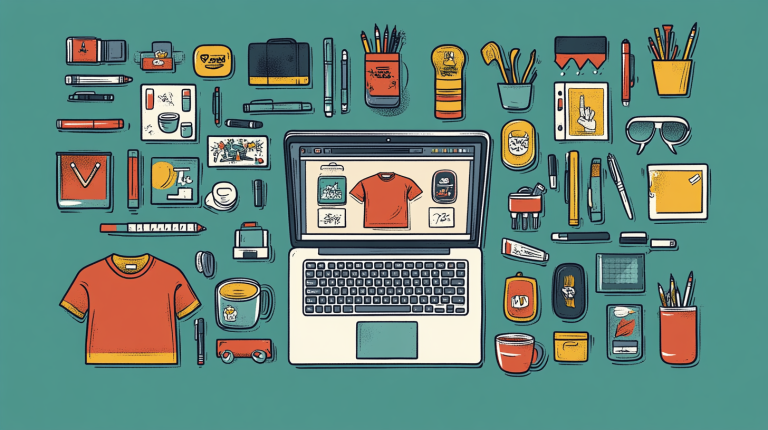
Imagine this—you’re wearing a t-shirt with a quirky phrase you dreamed up. Now picture this same t-shirt flying off the shelves at your favorite online shop. Oh yeah, that’s your creativity out there in the world. Cool, right? Even cooler, you don’t need an advanced design degree to make it happen. Just a sprinkle of creativity and the right tools (like, say, the Web Graphics Creator) can turn your ideas into a line of unique, market-ready products. It’s way easier than it sounds, trust me!

What Kind of Products Can You Create?

Oh, the possibilities are endless—and that’s not just a motivational poster on a wall telling you this; it’s the truth. Let’s break it down with some fantastic ideas for things you can customize and sell:

  • T-shirts: Because who doesn’t love clothes with personality? Funny quotes, artistic designs, or heartfelt messages—you name it.
  • Mugs: Coffee is practically a personality trait for some of us; give people something awesome to sip from.
  • Mouse Pads: Spice up someone’s office desk with a custom design.
  • Stickers: Small but mighty, a perfect way to spread your designs far and wide.
  • Magnets: Put a little pizzazz on someone’s fridge. (Trust me, a cool fridge magnet can brighten their whole day!)
  • Hats: Because nothing screams “style” quite like a cap with a message on it.
  • Stationery: Custom notebooks, pens, postcards, or calendars—these can all crank up someone’s organization game.
  • Other Personalized Swag: Tote bags, water bottles, phone cases, or even socks! If it can be printed, it can be sold.

Whether it’s quirky designs, inspirational quotes, or pure artistic flair, the options are all yours. The goal? Create products that make people stop and smile—or laugh out loud in public. (It’s the little joys, people.)

Why Should You Dip a Toe (or Dive Headfirst) Into Custom Products?

Glad you asked! Here’s the deal: personalized, custom products are all the rage. People want items that feel unique to them—stuff they can’t just find at every dollar store on the corner. So when you offer products with a personal flair, you’re already a step ahead of the game.

  • Low-Cost Startup: You don’t need to drop a fortune to start. Many platforms even let you print-on-demand to avoid stocking up inventory or filling your living room with boxes. (Your roommate will thank you.)
  • Be Your Own Boss: You set your price margins, choose your own hours, and unleash your creativity at full power. No one’s watching over your shoulder… except maybe your dog.
  • Mass Appeal: From sarcastic humor to adorable puppies, there’s a niche for everyone out there. Find your tribe and connect with them through the products you create.
  • Easy-To-Use Tools: With platforms like Web Graphics Creator, creating a professional-quality design is as easy as pie—except you don’t have to get flour everywhere.

What If You’re Not an Artist?

Psst… you don’t have to be! I mean, I can barely draw a stick figure without their head looking like a potato, and I’ve still managed to create some pretty sweet digital designs. With tools that provide templates (like the “Mannequins” template set mentioned in the video above), you don’t need to start from scratch. Just go in, tweak, and voila—you’ve got yourself a masterpiece!

How to Create Your Own Products in a Snap

Okay, so how do you actually go from “I have this idea” to “Look at my amazing product!”? Here’s how to do it in three simple-ish steps:

  • Step 1 – The Big Idea: Think of what you want to create. Is it a hilarious t-shirt slogan? A mug that screams positivity with every sip? Your product’s charm lies in the idea.
  • Step 2 – Design Time: Fire up designing software like the Web Graphics Creator. Start with a template (seriously, templates are lifesavers). Tweak the colors, fonts, and images to match your vibe.
  • Step 3 – Print and Sell: Upload your design to print-on-demand services or marketplaces and start selling. Drinks on you when you make your first sale! 🥂

Watch and Learn

No need to stress if you’re unsure how to begin. The video shared earlier? It’s pure gold. It’ll walk you through the process of creating your products step by step. Plus, it comes with plenty of inspiration if your creative muscles are feeling a little stiff.

Join a Community That Loves Creating (and Selling!)

Here’s where it gets even better. There are loads of creators actively selling products just like this—many of them are in the Laughingbird Software Facebook community. Why not join the crowd and learn from them? You can share ideas, get feedback, or even bond over designs that bombed (hey, it happens to the best of us).

Let’s Get Real About This…

You don’t have to be the next Andy Warhol to create awesome products. Some of the best-selling designs out there are simple, clever, or downright silly. People buy things that resonate with them. So your “I SURVIVED THE CHAOS OF MONDAY” mug? Yeah, that’s going to be someone’s coffee companion for years.

FAQs About Creating Custom Products

How much money can I make selling custom products?

As much as your creativity (and marketing) allows. Some people make it a side hustle earning a few hundred a month. Others turn it into a full-time income. My advice? Start small and scale as you go!

Do I need expensive software?

Nope! Tools like the Web Graphics Creator are affordable, user-friendly, and powerful enough for creating professional designs. An internet connection and your imagination are your only requirements.

Is there a market for my type of products?

Absolutely. The key is figuring out your niche. Maybe you’re into funny phrases, pet-themed merchandise, or products for a specific hobby. As long as you create for the right audience, there’s definitely a market for it.

What’s the biggest challenge?

One word: consistency. Building a brand and growing your audience take time, so don’t give up if your products don’t sell immediately. Keep experimenting and improving your designs.

Creating custom products isn’t just a fun hobby—it’s a fantastic way to express yourself and make money along the way. So what are you waiting for? Go ahead and channel your inner designer! I can’t wait to see what you create. 🚀

Self Marketing: Target Niche Bloggers!

0

Today’s Creatorpreneur tip is a short – but powerful insight into self-marketing: target niche bloggers!

AND listen, this little gem won’t have you pulling your hair out in frustration. Nope, it’s easy. Simpler than assembling IKEA furniture without the instructions (and if you’ve ever done that, this will feel like a vacation).

Why Niche Bloggers Are Your Secret Marketing Weapon

Let’s set the stage, shall we? You’ve got this amazing product or service, right? You’re proud of it, and why wouldn’t you be? It’s absolutely fabulous (cue jazz hands). Now, you need to get it out there, but here’s the kicker: mainstream journalists and big media outlets are swamped. Like, Titanic lifeboat-swamped.

These journalists get thousands of pitches, press releases, and story ideas daily. Spoiler alert: your pitch might not float to the top of that pile unless it’s diamond-encrusted. So, what’s a creatorpreneur to do? Enter the niche bloggers!

Why Bloggers Over Mainstream Media?

Bloggers have something magical: engaged, loyal audiences that tune in like they’re watching the season finale of their favorite show. These audiences trust their opinions, recommendations, and bad jokes (kind of like you trust mine). Plus, bloggers often cover very specific niches. From vegan dog treats to glow-in-the-dark knitting yarn, if there’s an audience for it, there’s probably a niche blogger writing about it.

Simply put, they focus on a particular topic or community. Not only is this ideal for you, but these bloggers are usually open to working with creators like yourself. Win-win!

How to Get Bloggers on Your Side Without Being Pushy

You wouldn’t show up at someone’s dinner party and demand the freshly-baked pie, would you? (Please say no.) The same goes for approaching bloggers. Don’t spam them with generic press releases that scream, “Look at me!!!” Instead, opt for a more human approach. Here’s how:

1. Do Your Homework (Yes, There’s Homework)

Find bloggers who focus on your niche. Start with a good ol’ Google search or use social platforms like Instagram or Pinterest. Are you selling handmade soap? Reach out to skincare or sustainable living bloggers. Launching a digital product? Target tech or entrepreneurship bloggers. The more specific, the better (trust me, contacting a home improvement blogger about your gourmet cupcake business won’t exactly light their fire).

Some search terms to try:

  • “[Your niche] blogs”
  • “[Your industry] blog influencers”
  • “Top blogs for [specific topic your product solves]”
  • “Best [niche] bloggers of [current year]”

Your goal is to create a target list of people who care about what you offer and whose audience would swoon over it.

2. Craft a Personalized Email (Doughnuts Optional but Encouraged)

Okay, here’s where the magic happens. Reach out to them directly. Skip the painfully generic template-style emails because these shout, “Delete me!” (They really do.) Instead, go for something personal and engaging:

  • Address them by name.
  • Mention specific posts of theirs you’ve read (don’t lie – they can tell).
  • Explain why your product/service could resonate with their audience.
  • And… ask with humility! Don’t assume they’ll automatically feature you just because you emailed. Remember, they’re doing you a favor, not the other way around.

Pro Tip: Offer them something tangible, like a free sample of your product. People love free things. It’s science.

3. Be Generous but Don’t Panic Over Cost

If offering bloggers free products feels like giving up chocolate for life, take a deep breath—this is an investment. A blog post by someone with a dedicated fanbase can spread like wildfire. One glowing review can grab more eyeballs than your best Facebook ad.

Even if you’re penny-pinching like a casserole chef, this strategy often pays for itself many times over. Plus, offering freebies makes people feel VIP. They’re far more likely to write about you enthusiastically.

The Power of Authentic Reviews

When a blogger writes a positive review about your product, it feels like a trusted friend’s recommendation. No offense to those flashy banner ads, but they just don’t have the same warmth.

And here’s the kicker: bloggers have the storytelling chops to weave your product into a relatable, authentic narrative that resonates with readers. For example:

  • A fitness blogger could describe how your product helped them recover after a tough gym session.
  • A parenting blogger could explain how your service saved them time during the morning chaos.
  • And so on. You get the drift.

These stories are relatable and sticky. That means potential customers view your product as a solution to their problem, not just another widget in the sea of widgets.

Internal Linking: Why This SEO Trick is Gold

Psst… speaking of sticky things, have you heard about Laughingbird Software? It’s a treasure trove of design tools and templates! Check it out here. Trust me – your visuals will thank you.

How to Follow Up Without Being Annoying

Okay, so you’ve made contact, sent a sample, and now… crickets. Bloggers are busy (I mean, relatable, right?). Don’t take it personally if they don’t get back to you within six minutes.

Instead, follow up gently after a reasonable time, say, a week or two. Here’s an example:

“Hi [Blogger’s Name], just checking to see if you had a chance to try [your product]. I’d love to hear your thoughts!”

Short. Sweet. Non-pushy. Just the way grandma likes it.

FAQs About Self-Marketing: Target Niche Bloggers!

How do I know if a blogger’s audience matches my target demographic?

Simple! Take a peek at their content. Does it align with your product’s message? Check their “about me” page—most bloggers are crystal clear about their niche and audience!

Do bloggers expect payment in addition to free samples?

Sometimes, yes. Bigger bloggers may have “sponsored post” fees. If your budget can handle it, great! If not, stick to newer or smaller bloggers. They often collaborate in exchange for products alone.

What should I include in my pitch email?

A friendly introduction, personalized comments about their blog, a description of your product, and an offer of a free sample. Be concise and genuine!

Final Thoughts

Targeting niche bloggers isn’t rocket science (yay!). It’s about connection, authenticity, and highlighting your awesome offerings in a way that feels natural. Sure, you might feel like a nervous kid handing out their first lemonade stand flyer, but trust me: when your product lands in the right hands, you’ll watch the traffic—and sales—roll in.

So go ahead, take the plunge. Find those niche bloggers, send those pitches, and let your product do the talking. And whatever you do, don’t forget to have a little fun. After all, self-marketing is an adventure, not a chore. Happy pitching!