Home Blog Page 6

Creative ways to use your new business cards

0

Do you have a business card? If not, well, Houston, we have a problem. Business cards are like the Swiss Army knife of networking. They’re super easy to make, almost like assembling a sandwich (but without the mayo crisis), and they can be used in a whole galaxy of creative ways. Think of them as your tiny, trustworthy sidekick in the world of entrepreneurship—minus the capes.

Creative Ways to Use Your New Business Cards

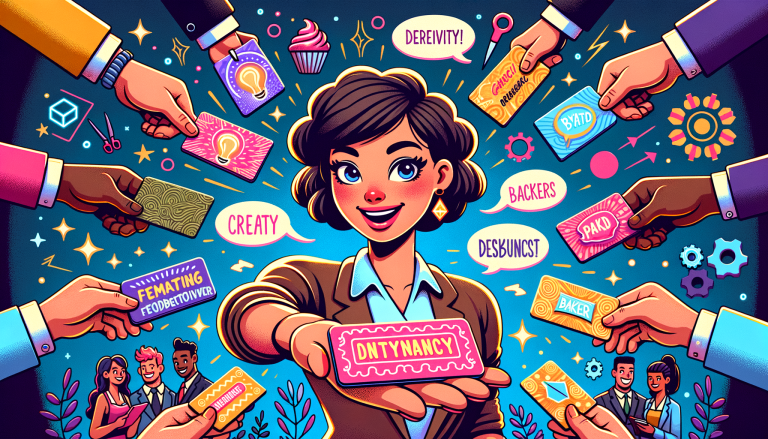
Alright, let’s talk strategy because these aren’t just business cards—they’re business opportunities. First, call your friends, your family, maybe even your overly chatty neighbor and hand them a stack of your newly minted cards. Tell them to spread the love—pass them out to their friends, co-workers, or that guy from the gym who still doesn’t know how to work the treadmill. Sharing is caring, after all.

Are you a service provider? Why not give your customers a little stack of cards, too? That way, when their friends or neighbors ask, “Hey, who installed that ridiculously cool koi pond?” or “Who made that custom cake that looks like a T-Rex?” they can easily pass along your deets.

Unleashing the Full Potential of Your Business Cards

But wait, there’s more. We’re leveling up. Below are some knockout ideas to make your business cards truly unforgettable—like that one time your uncle tried karaoke at a family wedding.

1. Include Testimonials (Because You’re Awesome and People Should Know It)

Let’s face it: people LOVE a good review. It’s why we spend hours reading Amazon comments before buying a water bottle. So why not put glowing testimonials directly on your card? Nothing says, “I’ve got receipts” like featuring a client’s rave review on the back.

Instead of forcing potential clients to fire up a search engine and stalk your website for reviews, serve them your best testimonials on a silver platter—or, you know, the backside of your card. It’s a mini billboard proclaiming your greatness. Plus, it makes your card a conversation starter. “Wow, look at this glowing review! This person clearly knows their stuff.”

2. Make Them Multi-Functional (Because Single-Use is So Last Season)

Alright, why settle for “just a card” when you could create something people genuinely want to use? Multi-functional business cards are the Beyoncé of the business card world—showstopping and unforgettable.

Here are some fun ideas for multi-functional cards:

  • Bookmarks: Readers will thank you every time they don’t lose their place in a gripping thriller.
  • Stickers: Who doesn’t love a cool sticker? Perfect for decorating laptops or car dashboards!
  • Note cards: Add a lined section for jotting quick notes or to-do lists. Because, let’s be honest, everyone loves writing on something other than Post-its for once.

Not only are these functional cards useful, but they also stick around in people’s lives a lot longer—making your business more memorable.

3. Sweeten the Deal with Special Offers

Who doesn’t love freebies or discounts? (Seriously, if you find someone who doesn’t, are they even human?) Use your business card as a coupon or gift voucher. For instance, offer something like 20% off their first service or a free consultation. This not only makes your card valuable but ensures it doesn’t go straight into “the Bermuda Triangle of all things lost” (aka their junk drawer).

Sure, there’s a slight cost to this strategy—but hey, investing in customer loyalty and goodwill beats investing in a billboard no one reads because they’re texting while driving. Winning!

4. Create a Referral Program (It’s Like a Chain Letter… But Better)

Imagine your business cards going on an adventure—a journey from person to person, spreading your brand like delightful wildfire. Here’s how to make it happen: leave room on the back of your business cards for email addresses and create a referral chain.

Encourage recipients to sign the back, pass it along, and return it to you once it’s filled up. When the card makes its way home (cue the dramatic movie music), everyone on the list gets a reward—like a discount or special perk. Plus, you now have new emails for your marketing database. Boom. Efficiency.

5. Partner Up with Complementary Services

Let’s say you’re a graphic designer. Odds are your clients might need a photographer or a copywriter at some point. So, why not team up with service providers in complementary industries?

Create a referral network and trade distribution of business cards. You promote them, they promote you—it’s like business BFFs. Plus, by sharing cards, you give your clients more resources, which makes you look like a well-connected genius.

Pro tip: Hand out not one, but two or three business cards at a time so your clients can keep one and pass along the extras. Trust me, it works like charm—kind of like always having gum in your bag at a group meeting.

Need inspiration to design your own creative business cards? Head over to Laughingbird Software for tools and templates that’ll make the task a whole lot easier. You’re welcome.

FAQs About Creative Ways to Use Your New Business Cards

Can I use my business card to offer promotions or discounts?

Absolutely! Business cards can double as coupons, which makes them more valuable and likely to be kept rather than tossed. Consider offering discounts, free consultations, or even free samples—it’s like a little gift wrapped in card form.

What’s the best material for a unique business card?

You can’t go wrong with sturdy card stock, but if you want to get fancy, consider metal, clear plastic, or even wood. Whatever you choose, make sure it reflects your brand and doesn’t require a user’s manual.

How can I make my business card stand out in a pile?

Oh, how delightful is this question! Add creative touches: vibrant colors, unique shapes, or QR codes. Also, don’t ignore quality—cheap flimsy cards are like soggy cereal, nobody gets excited about them.

Remember, your business card is often your first impression. So make it count! Embrace these tips and watch your cards go from “meh” to “whoa, I need to call this person.”


Create your own PDF eBook

0

You’re already an expert

Seriously, you are. Somewhere deep in the treasure chest of your brain, you’ve got knowledge that could change someone else’s life. Maybe you cook the world’s fluffiest pancakes, or perhaps you speak fluent dog (bark once for “yes,” twice for “no”). Whatever it is, you’ve got something to share, and lucky for you, people are willing to pay for it. Yep, we’re talking cash money! And how do you do it? You create your own PDF eBook.

What is a PDF eBook and Why Should You Bother?

Let’s demystify this. A PDF eBook is basically a digital guide that you whip up, save as a PDF (because PDFs make you look super professional), and sell or give away to an adoring fan base. It’s like writing a book but without the terrifying thought that you’ll end up on a bookstore clearance rack next to THAT guy’s memoir. Bonus: no publishers to hassle with.

PDF eBooks have magical powers:

  • They position you as an expert. (But you already knew that!)
  • They can lead to passive income (a.k.a. money you make while binge-watching your favorite show).
  • You can use them as lead magnets to attract customers or build your email list.
  • They let you help a whole bunch of people without leaving your couch.

Now you’re probably thinking, “Okay, show me the money.” But before we talk profit straps and marketing, you’ve got to write the thing.

Step 1 – Start With What You Know (And What People Want to Know!)

Here’s the golden rule of eBook creation: Write about something people need. And since there’s only one you with your specific skills and experiences, you’re already ahead of the game. Think about what people constantly ask you.

  • Do friends always ask for your photography tips?
  • Does your neighbor marvel at your gardening skills?
  • Are you the go-to person for setting up smart home devices?

Tip: If no one’s asking, check trending topics, FAQs in forums, or social media groups for inspiration. You’ll know you’ve hit the jackpot when people start saying, “Wow, I need that!”

Step 2 – Write Like You’re Talking to a Friend

Let me tell you this upfront: You don’t need to be the next Shakespeare to create your PDF eBook. Just be you.

Use short sentences. Write in simple language. Drop the fancy prose; we’re not pitching this to the Queen of England. The goal here is clarity and connection. Your audience wants practical advice, not a crash course in deciphering cryptic riddles!

Keep It Relatable

Let’s say you’re writing about organizing a tiny apartment. Don’t use phrases like, “A minimalist approach is key to unlocking a life of convenience.” Ew. Instead, try: “Let’s face it – your shoebox apartment looks more ‘hoarder chic’ than ‘cozy minimalist.’ Let’s fix that.” BOOM. Relatable, funny, and real.

Break It Down

Complicated concepts = scary readers. Simplify your content with:

  • Clear headings that act like street signs for your readers.
  • Bullet points for bite-sized tips (everyone loves a good list!).
  • Step-by-step instructions when explaining how to do something.

Step 3 – Make It Pretty (Because Looks Matter!)

No one wants to read a guide that looks like it was formatted in the heat of a caffeine-fueled panic. Take time to format your PDF with flair:

  • Use headings to organize chapters and sections.
  • Add bullet points and numbered lists (checkmark emojis optional, but encouraged).
  • Use visuals like screenshots, images, or clever little diagrams that help explain your points.
  • Keep the fonts professional—Comic Sans is still a crime in some states, okay?

Pro Tip: Tools like The Web Graphics Creator can help you whip up graphics faster than you can say “Helvetica.” If you’re into adding flare to your eBook cover (hint: you totally should), check out their eCover templates. Want proof? See how fast this can be done by watching this awesome video.

Step 4 – Let the Lead Magnet Magic Happen

Online marketing secret: People love free downloads. (Heck, I once downloaded a guide called “20 Ways to Organize Your Tupperware.” I didn’t even own Tupperware.) That’s where lead magnets come in.

**Why are lead magnets awesome?**

  • They attract readers to your website.
  • They grow your email list effortlessly.
  • They turn casual visitors into loyal fans (or even paying customers).

Your eBook can be the freebie that gets shared, forwarded, and beloved by thousands. Talk about fame!

Step 5 – Expand, Grow, and Monetize!

Here’s the fun part: Your eBook doesn’t have to stop at being just a simple guide. When you create multiple PDFs, you’ll unlock next-level opportunities:

  • Create a bundle: Package multiple short guides into one larger product.
  • Develop a course: Expand on your guides by offering step-by-step video or live tutorials.
  • Sell your expertise: Use your eBook as a launchpad for consulting or webinars.

Think of it this way: Your first PDF eBook is like planting a tiny seed. With time, effort, and maybe a little fertilizer, you’ve got yourself an entire flourishing business garden.

FAQs About Creating Your Own PDF eBook

How long should my eBook be?

Good question! It depends on the topic. A quick how-to guide might be 10 pages, while an in-depth topic could be 50. Always prioritize quality over length—no one wants to read pages of filler fluff.

What tools can I use to design my eBook?

You don’t need a degree in rocket science (or graphic design). Tools like Canva, Microsoft Word, or The Web Graphics Creator will do the trick. They’re user-friendly and affordable for creators at any level.

Can I sell my PDF directly?

Heck yes! Platforms like Gumroad or Etsy make it easy to sell PDFs directly to an audience. Create your eBook, set your price, and start earning. Oh, and don’t forget to let your dog know you’re officially an entrepreneur!

How do I promote my eBook?

Social media, emails, Pinterest… you name it. And remember, your PDF eBook doesn’t just promote itself—share snippets or tips on your blog or social feeds to build hype.

So, there you have it. All the tools are in your hands to create your own PDF eBook that’ll knock the socks off readers and maybe even fatten your wallet. Now, go forth and eBook your heart out! Oh, and send me a copy—I might need that Tupperware guide after all.

Feature Other Bloggers In Your Articles

0

“`html

You feature them, and they’ll tell their followers to read your article! Sounds like a win-win, right? But wait—before you link away with reckless abandon, let’s talk about how to do this the Neil Patel way. Yes, that Neil Patel. The blogging superstar who appears to squeeze page views out of thin air (or clever strategy).

Why Feature Other Bloggers in Your Articles?

Besides the obvious benefit of seeming like a generous, connected content creator, this strategy has another little perk: traffic. Loads of it. As Neil Patel famously points out, when you link to other bloggers in your articles (and then, here’s the kicker, tell them about it), they’re likely to share your post with their audience. This could result in hundreds—or even thousands—of shares.

How Does This Work? (AKA Neil Patel’s Playbook)

Here’s a step-by-step breakdown of the magic:

  • Write a detailed, well-researched article that includes links to multiple bloggers’ content. Patel often adds over 100 links per article—as if sprinkling SEO fairy dust!
  • Once your masterpiece is live, reach out to those bloggers. Send a friendly email letting them know you’ve linked to their work.
  • Because most people appreciate a shoutout (especially from a thoughtful, non-spammy blogger), odds are some of them will share your post with their audience.
  • Voilà! You gain exposure, shares, and traffic.

Simple, right? Well, mostly. But there’s a catch.

Only High-Quality Articles Get Results

Here’s the honest truth: if you throw together a lackluster post with sloppy grammar, a chaotic layout, and zero useful information, people won’t be rushing to share it. No one wants to be associated with *that* post.

How to Write Articles Worth Sharing

Keep these pointers in mind to craft an irresistible article:

  • Write helpful, detailed content: Don’t just regurgitate what everyone else is saying. Add your unique spin or break down a complex topic in a way that’s easy to understand.
  • Use engaging visuals: Graphics make your article pop. They break up walls of text and help clarify your points. Need inspiration? Check out The Graphics Creator for templates galore that can make even a novice look like a pro.
  • Make it readable: Use short paragraphs, bullet points, and subheadings (like this!), so your readers won’t need a machete to hack through your content.

How Linking to Other Bloggers Boosts Traffic

Let’s get real: The internet isn’t a one-person show. Featuring others in your blog posts can help you create meaningful connections in the blogging world. These relationships can lead to some seriously cool opportunities like guest blogging, partnerships, or collaborations down the road.

What’s in It for Them?

Here’s why bloggers you link to might share your work:

  • Recognition: Everyone likes being recognized for their hard work. A link acts as a digital pat on the back.
  • Audience Growth: Your link sends some of your readers their way. Bloggers love this. It’s like finding a $20 bill in your pocket.
  • Mutual Benefit: When you create a helpful, high-quality post, everyone benefits. Their link gains credibility, and your article looks more authoritative. It’s all sunshine and rainbows (without the unicorn fluff).

Email Tips: Reaching Out Without Being a Pest

Please, don’t spam people. Don’t send “Hi, I linked to you. Now share my post!” emails. That’s a one-way ticket to the trash folder. Instead, try this:

  • Be polite: Introduce yourself briefly. No one wants to read your life story, but they appreciate a warm, human opener.
  • Acknowledge their work: Mention why you included their link. Was their guide super helpful? Inspiring? Say so!
  • Ask, don’t demand: After letting them know about the link, ask if they’d be interested in sharing your post. Don’t treat it as an obligation.

Here’s a quick template:

Hi [Blogger’s Name],

I just published a new article on [Topic], and I included a link to your awesome post on [Their Topic/Title]. Your post was super helpful in shaping my thoughts, and I wanted to share it with my readers.

If you think your audience would find my article useful, I’d be thrilled if you shared it! Either way, I really appreciate the work you put out—it’s always a great resource.

Thanks so much!

[Your Name]

Graphics: Amp Up Your Blog’s Wow Factor

Don’t underestimate the power of visuals. Articles with eye-catching, informative graphics are more likely to engage readers and get shared. Feeling graphically challenged? Fear not! The Graphics Creator has over 1,000 templates you can easily customize to match each sub-topic in your post. Trust me, you’ll feel like a design wizard.

Here’s an example of what you can create:

Graphic Example

FAQs

What if the bloggers I link to don’t share my article?

That’s okay! Not everyone will respond, and that’s completely normal. The links still provide value to your readers, and over time, your strategy will pay off.

How many bloggers should I link to in my article?

There’s no magic number, but the more, the merrier—provided the links are relevant and useful. Twenty or more is a good starting point for beginner bloggers.

Do I need fancy tools for creating graphics?

Not at all. Tools like The Graphics Creator are user-friendly and perfect for non-designers. Trust me, no artistic talent is required.

What should I link to?

Focus on high-quality, reputable sources that add depth to your article. Don’t just link for the sake of linking—your readers (and the linked bloggers) will notice.

Final Thoughts: Build Connections & Boost Traffic

Featuring other bloggers in your articles isn’t just a recipe for more traffic—it’s a long-term investment in your blogging career. By creating valuable content, giving credit to others, and reaching out in a genuine way, you’ll build relationships and grow your audience.

Now, get out there, write those attention-grabbing articles, and sprinkle those links like confetti! Who knows? Your next partnership or viral post might be just one link away.

“`

Get Your Fans To Sell Your Stuff!

0
“`html

In one of our past Creatorpreneur tips, we mentioned how insanely profitable it is to sell other people’s software or products. But what if we flip the script? Imagine this: an army of enthusiastic fans promoting and selling your product or service. Sounds dreamy, right? Well, that dream is called affiliate marketing, and it’s as magical as a chocolate fountain at a party—easy to set up and incredibly rewarding!

What is Affiliate Marketing (A.K.A. Get Your Fans To Sell Your Stuff!)?

Affiliate marketing is the business equivalent of convincing your friends to join you for pizza and splitting the bill afterwards. It’s word-of-mouth marketing on digital steroids. Here’s the deal:

  • You let others (your affiliates) promote your product or service, offering them an irresistible commission for every sale or lead they generate.
  • You don’t pay them a dime unless they bring in the goods (aka, sales). Your wallet stays safe until the kaching happens.

Now, picture this: your happy customers rave about your product to their friends, family, and even their Aunt Marge, and you reward them with a commission for each sale. Sounds like a win-win, doesn’t it?

Why Should You Use Affiliate Marketing?

If “low risk, high reward” was a sport, affiliate marketing would win the gold medal. Here’s why it works so powerfully:

  • Zero upfront cost: You won’t pay affiliates until they succeed. No sales? No expenses. Risk-free is the way to be.
  • Increased trust: People trust recommendations from their peers way more than they trust your ads. (No offense, but it’s just human nature.)
  • Wide-reaching potential: Affiliates have their own audiences—mini-marketing teams doing their thing while you sip coffee and watch it happen.

Affiliate marketing isn’t just a strategy; it’s teamwork with benefits. Ever heard the saying, “Work smarter, not harder”? Yeah, this is that, but with sprinkles on top.

How to Get Started With Affiliate Marketing (That Workflow Your Fans Will Appreciate)

Step 1: Pick Your Affiliate Network

First thing’s first: find an affiliate network to host your program. An affiliate platform connects you, the product owner, with people willing to promote your stuff for a referral fee. Check out options like this guide on affiliate networks to get started. Think of this as picking the perfect venue for your party—it matters!

Step 2: Choose ONE Product to Promote

Ah, the age-old advice: keep it simple, sweetie. Start with one product or service that you know will knock people’s socks off. Simplicity makes it less overwhelming for you and an easy sell for your affiliates. Trust me on this. Nobody wants to juggle chainsaws before they know how to hold a blade.

Step 3: Set Up Your Affiliate Account

Once you’ve chosen your affiliate network, follow their wizardry-level simple instructions to set up your account. Most platforms will guide you on how to set commissions, provide tracking links, and even customize payment options. Easy peasy, lemon squeezy.

Step 4: Create Irresistible Marketing Materials

You can’t send your affiliates into battle without their weapons (or memes). Provide them with ready-made, high-quality marketing materials they can use to spread the good word about your product. These should include:

  • Banners: Think Pinterest-worthy graphics or website headers that pop.
  • Sales pages: Yes, people still read these. Include punchy marketing copy and attractive visuals.
  • Product images: Real-life photos or mockups. The Graphics Creator is your new best friend for spiffy designs!
  • Social media posts: Caption ideas and image templates to save affiliates time.
  • Blog articles or videos: Bonus points if you provide scripts or outlines.

Basically, roll out the red carpet and make it ridiculously easy for affiliates to start selling with gusto. If you hand them the keys to the car, they’ll drive it, guaranteed.

Tips For Supercharging Your Affiliate Program

Nurture Your Affiliates

Your affiliates are your new BFFs—don’t ghost them! Keep the lines of communication open. Send tips, updates, and the occasional GIF (because, why not?). Let them know you’re rooting for their success just as much as yours.

Track, Tweak, and Repeat

Most affiliate networks provide nifty reports to show you what’s working. Use these insights like a map to find hidden treasure (aka more sales). Tweak campaigns or incentives based on the data to keep things fresh and exciting.

FAQs About Affiliate Marketing

How much should I pay affiliates? This depends on your profit margin, but typical commissions range from 5% to 50%. Digital products often have higher rates due to lower production costs, so consider the type of product you’re selling.

How do I find affiliates? Start with your existing customers, social media followers, and connections in your industry. Some affiliate networks also have marketplaces where potential affiliates can discover your program.

Do I need a big audience before starting affiliate marketing? Nope! Affiliate marketing is designed to expand your audience. Focus on creating a good program and let your affiliates amplify your reach.

Where can I learn more about graphics for affiliate marketing? Check out Laughingbird Software for tools and tips to create professional, eye-catching marketing assets.

So, there you have it: the ridiculously easy, risk-free method to Get Your Fans To Sell Your Stuff. Affiliate marketing is a no-brainer for growing your business with minimal stress and maximum fun. Now go forth, Creatorpreneur, and turn those fans into affiliates—it’s like building a sales army with a handshake. *Cue applause and confetti.*

“`

*Create Restricted Members Only Content

0

“`html

Your most loyal customers are huge fans… and may be willing to pay to get exclusive content from you.

Why Create Restricted Members-Only Content?

Let’s face it: nothing feels as exclusive as being part of a VIP club. Your most devoted fans are eager to support you, and they’d probably dig deep into their wallets for access to premium content. You know the type—the ones who comment on all your blog posts, share your videos like it’s their full-time job, and might even send you fan art.

By creating restricted members-only content, you can reward their loyalty, offer unique value, and build a reliable income stream through subscriptions. Plus, who doesn’t love the phrase “recurring revenue?” It’s like planting a money tree that keeps producing leaves every month.

What Can You Offer in a Members-Only Area?

Okay, here’s where the magic happens. Once you’ve charmed your audience into joining a membership program, you need to serve them something irresistible. After all, “exclusive content” isn’t just a fancy buzzword—it’s the entire backbone of the idea! Here’s what you could share in your members-only zone:

  • In-depth blog posts: Dive deeper into topics that your regular posts only skim the surface of. Think of it as the director’s cut of your content.
  • Downloadable resources: Templates, cheat sheets, eBooks, and fancy graphics (yes, Laughingbird Software has some amazing tools for creating visuals—more on that later!).
  • Videos and behind-the-scenes content: Let them peek behind the curtain—it’s like VIP access to your creative process.
  • Exclusive audio or podcasts: Got a voice that belongs on radio? Share premium audio content for their ears only.

The Commitment: Is It All Sunshine and Rainbows?

Before you dive into this glamorous world of secret clubs and premium perks, let’s get real for a minute. Membership sites require ongoing effort. Unlike a standard blog post where you “write it and forget it,” premium content needs to be updated regularly. Otherwise, your members might feel like they’re paying for cobwebs…and the only thing scarier than losing members is the idea of writing a breakup email. Yikes.

However, if you put in the time and creativity, membership sites can be incredibly rewarding. Not only do you generate recurring income, but you also cultivate an even deeper relationship with your audience. That’s a win-win, right?

How to Create Restricted Members-Only Content

Now, let’s talk action. How do you even start this magical, lucrative, “members-only” dream? Don’t worry, I’ve got your back. Here are three user-friendly ways to kick things off:

1. Start Simple with a Members-Only Facebook Group

This is the low-hanging fruit—you don’t need a fancy website to get started. Create a private Facebook group, invite your VIPs, and share exclusive posts, live streams, or helpful tips.

Why Facebook? Because everyone’s already there arguing over pineapple pizza and wedding dance fails. It’s a platform people are familiar with, and they can hop into your group at the click of a button. Plus, it’s totally free (aside from the tears you might shed over learning Facebook’s algorithm).

2. Use WordPress Membership Plugins

Ready to step things up? If you’ve got a WordPress site, you’re in luck. There are plenty of plugins that let you create restricted areas on your site. Some top options include:

  • MemberPress: Highly customizable and perfect for offering tiered memberships.
  • Paid Memberships Pro: A free plugin for beginners with paid upgrades for added features.
  • Restrict Content Pro: Great for maintaining high-quality content gating.

Do a little research, because choosing the right plugin is like choosing which sauce goes best on your tacos—you gotta pick one that fits your goals.

3. Use a Professional Membership Site Platform

When you’re serious about going pro, a dedicated membership site platform like Membersite Academy is a great option. They specialize in helping people like you turn their creative genius into a profitable membership experience.

These platforms often offer tools like email automation, sales funnels, and detailed analytics. (Basically, all that fancy tech stuff you’re afraid to Google.) The downside? They usually cost a monthly fee, but hey—sometimes you gotta spend money to make money.

Tips to Keep Your Members Engaged

Once your membership site is up and running, your work isn’t over. Keeping your members happy is part of the gig. Here are some tips to reduce “churn” (that’s marketing speak for losing members—sounds scary, doesn’t it?):

  • Consistency is key: Post new content regularly. Don’t ghost your members unless you want them to ghost you back.
  • Ask for feedback: What do they love? What do they want more of? If all else fails, bribe them with a quick online survey.
  • Create a community: Encourage members to interact with each other through discussion threads or comments.
  • Add surprise bonuses: Like an unexpected gift in the mail, bonus content shows you care and keeps members loyal.

Time to Monetize Your Passion

When done right, creating restricted members-only content can transform your passion project into a thriving business. Whether you’re offering exclusive downloads, launching a private community, or diving into video content, a membership site could be the golden ticket you’ve been looking for. Just remember: it’s about providing REAL value, not just slapping a “members-only” sticker on your content and calling it a day.

If you’re ready to transform your business and need an extra boost in creating stunning visual content, check out Laughingbird Software. It’s an all-in-one hub for creating graphics that’ll make your members say, “Whoa. Fancy.”

FAQs About Creating Restricted Members-Only Content

What kind of content works best for a members-only site?

Think about the type of content your audience already loves. If they devour your blog posts, try offering longer, more detailed guides. If videos get all the attention, consider behind-the-scenes footage or exclusive interviews.

How much should I charge for memberships?

Prices vary depending on your niche, audience, and the value you provide. You could start with lower tiers like $5/month and offer premium options for $25/month or more. Test out pricing and adjust as necessary.

What if I run out of ideas for premium content?

Don’t overthink it! Repurpose existing material, dive deeper into popular topics, or answer frequently asked questions. And remember, sometimes the simplest content resonates the most.

Do I need to be tech-savvy to create a membership site?

Absolutely not! With tools like WordPress plugins and platforms like Membersite Academy, most of the tech is handled for you. No need to become a coding wizard overnight.

Is it too late to start a membership site?

Nope. If people still line up for pumpkin-spiced everything every fall, there’s always room for a fresh idea. Start small, build trust, and grow from there.

So, are you ready to dive into the world of members-only content? Your fans are waiting—and so is your dream of consistent, reliable income!

“`

Make The Most Of Your Email Signature

0

Why You Need to Make the Most of Your Email Signature

If you’ve been shrugging off your email signature like it’s some unnecessary accessory, think again, friend. Your email signature isn’t just a line to remind people of your name—it’s prime advertising real estate! A virtual billboard, if you will, nestled comfortably at the end of your emails. And the best part? It’s free. Yes, that’s right. Free. Zero. Nada. Now, don’t you feel a little silly for underestimating it?

Still unsure why this matters? Let’s break it down in plain English and maybe throw in a dash of humor to keep things spicy (because who wants to read a snooze-fest?). Let me show you how to make the most of your email signature, step by step. Buckle up. It’s about to get fun.

What Is an Email Signature, and Why Should You Care?

Okay, confession time: Did you just toss your name and job title in your email signature because everyone else was doing it? Because it looked “professional”? Well, I hate to break it to you, but you’re missing out on a golden opportunity. Your email signature is like the cherry on top of your email sundae—but a cherry that can also drive traffic, sales, and followers. Intrigued yet?

Here’s the kicker: you’re already sending emails. A LOT of them. Now imagine if every email you sent had a little extra magic tucked at the bottom to drive your business forward. Spoiler alert: It can.

So let’s whip that email signature into shape, shall we?

How to Make Your Email Signature Work Overtime

Your email signature isn’t just a “Regards, [Your Name]” situation. Oh no. It can do more heavy lifting than a gym bro in January. Here’s how to turn that ol’ signature into a marketing powerhouse:

1. Include a Link Directly to Your Sales Page

If you’re not linking to your sales page, what are you even doing? Your email signature should be a clickable gateway for your leads, clients, or even random acquaintances to find what you’re offering. Whether you sell handmade mugs, life coaching, or custom alien abduction survival kits, get that link in there!

Not sure how to make it enticing? Don’t just write, “Visit my website.” Yawn. Try something like this instead:

“Check out my latest offers: [Insert Link]”

Or even better:

“Grab 20% off here: [Insert Link]”

It’s the same link, but way jazzier, right?

2. Add Links to Your Social Media Channels

If someone emails you, chances are they might want to stalk—uh, I mean follow—you on social media. Make it easy for them! Have one or two social media icons or links in your signature that jump straight to your profiles.

Pro tip: Focus on your most active platforms. If you’re crushing it on Instagram and TikTok, link to those. Nobody needs the dead-end trail that is your abandoned MySpace account. (Yes, we all had one. No, I don’t want to talk about my profile song from 2006.)

Oh, and don’t use gigantic icons that scream LOOK AT ME, I HAVE SOCIAL MEDIA! Subtle, sleek, and clickable is the way to go.

3. Include Your Logo or a Unique Design

Ah, the visual flair. Who doesn’t love a good eye-catching design? Adding a logo or branded graphic to your email signature can make people pause and actually notice it. (Gasp!) And let’s be honest, isn’t that half the battle?

It doesn’t have to be complicated—just something polished that captures your brand’s vibe. If you’re not sure where to start, tools like Logo Creator from Laughingbird Software can help you create a logo faster than my dog steals food off the coffee table.

Bonus points if your design subtly guides the reader’s eyes toward your links. Consider this a tasteful virtual nudge.

Optional: Add a Quick Blurb About Promotions

Got a new product launch? Limited-time offer? Freebie download? Shout it out! This space isn’t just for boring job titles. It’s a mini-billboard for whatever your audience needs to know right now.

“Don’t miss our new course! Enroll now: [Insert Link]”

Just keep it short and sweet. Nobody wants to read a novel in your sign-off. (Sorry, Tolstoy.)

Why Your Email Signature Matters More Than You Think

Still unconvinced? Let’s do some math. Say you send 50 emails a week (and let’s face it, that’s probably conservative). That’s 50 times your signature could be convincing someone to click a link or follow you.

Over a year? That’s 2,600 opportunities. Multiply that by several team members in your business, and BOOM! You’ll realize your email signature isn’t just a closer—it’s a secret marketing ninja working round the clock for you.

You might as well equip it with some sharp tools, right?

FAQs About Making the Most of Your Email Signature

Can I include too many links?

Yes! More is not always better. Stick to 3-4 key links max—one to your sales page, one or two social media profiles, and an optional promo link. Don’t turn your signature into a treasure map with 97 clickable options.

What’s the best style for email signatures?

Clean and professional is key. No Comic Sans fonts or rainbow-colored text, please. Use a crisp font like Arial or sans-serif, stay consistent with your brand colors, and keep the design clutter-free.

Should I include a photo of myself?

If your business thrives on personal connections (e.g., consultants or coaches), a professional headshot can add a personal touch. But avoid adding images “just because”—make sure it aligns with your goals.

Can I use GIFs in my signature?

Technically, yes—but tread lightly. A well-placed GIF can add personality, but a poorly chosen (or too flashy) one can make you look unprofessional. Keep it subtle and on-brand if you decide to use one.

How often should I update my signature?

Every few months or when there’s a significant change—like a new product, promotion, or logo update. Think of your signature as a dynamic part of your branding, not a set-it-and-forget-it situation.

Wrap-Up: Take Small Steps, Get Big Results

It doesn’t take a Herculean effort to revamp your email signature, but the payoff? Big. Think traffic, clicks, sales, followers—all from a little section people used to ignore. With just a few tweaks, your email signature can go from basic to brilliant.

So take five minutes, update your email signature, and give it the love it deserves. Then sit back and enjoy as it becomes your sneaky little marketing machine.

You’re welcome.

Use Motion Quotes

0
“`html

In the bustling, always-on digital world, creating eye-catching content is like owning a secret sauce recipe—it sets you apart. Today’s “Creatorpreneur Win” is simple, effective, and won’t have you pulling out your hair in frustration. Ready? Let me spill the beans: Use Motion Quotes. Why stick to plain text when you can jazz it up with graphics and movement? Trust me, your audience (and Facebook’s algorithm) will thank you. Let’s dive into the how, why, and everything in between!

What Are Motion Quotes and Why Should You Care?

Imagine stumbling onto your social media feed looking for cat memes (as usual), and bam! A beautifully animated quote with a motion background catches your eye. That’s what we’re talking about. Motion Quotes combine the wisdom of inspiring messages with the pizzazz of visuals and animation, creating a scroll-stopping piece of content. They’re not just fun—they’re strategic.

Why Motion Quotes Work So Well

Here’s the deal:

  • Short Attention Spans: People scroll fast. When your quote is dynamic and moving, it’s like an irresistible “STOP” sign for their thumbs.
  • Engagement Magnets: Motion Quotes naturally pull in likes, comments, and shares. And the more people engage, the more those lovely algorithms push your content into others’ feeds.
  • Easy to Customize: You can tweak Motion Quotes to suit your brand colors, style, and messaging.

Step-by-Step: How to Use Motion Quotes to Grow Your Audience

1. Start With a Great Quote

First, pick something that resonates. Think motivational, funny, or thought-provoking. Need an example? “Happiness is an inside job. Also coffee helps.” Bonus points if it aligns with your niche. If you specialize in fitness, use quotes about grit and persistence. For business, try nuggets of wisdom from entrepreneurial legends.

2. Grab The Graphics Creator

Create a series of quotes or inspirational messages with the Graphics Creator. This nifty tool from Laughingbird Software makes designing Motion Quotes ridiculously easy. Think of it as your personal graphics assistant (without the awkward small talk). Create, tweak, and voilà! Your masterpiece awaits.

3. Post Daily – No, Seriously

Consistency is key. When you post every day, you send a love note to Facebook (and other social platforms): “Hey, I’m active!” Facebook’s algorithm perks up and starts showing your content to more people. Want to crank it up a notch? Add a call-to-action (CTA) like, “What’s your take on this quote?” or “Does this resonate with you?”

4. Stand Out With Motion Backgrounds

The secret sauce, you ask? Motion backgrounds! Don’t settle for static when you can wow your audience with moving visuals. Adding animation makes your content 10x more engaging—and 100x cooler. Tools like The Graphics Creator let you layer motion backgrounds like fireworks on the Fourth of July or soothing waves at sunset. P.S. It’s not rocket science—just drag, drop, and dazzle.

5. Track and Adjust

Nobody hits a home run on the first swing (except maybe Beyoncé). Monitor which Motion Quotes get the most engagement, likes, or shares. Use analytics tools on your social platforms to adjust your strategy. Got a quote that flopped? Cool, try another. Think of it as digital Darwinism: the best-performing content survives.

The Facebook Algorithm: Your New Bestie

Here’s a quick breakdown of how Motion Quotes play nice with the almighty algorithm:

  • Facebook sees daily posting as an active signal, so it rewards you by pushing your posts to a wider audience.
  • When people comment on your posts, your content levels up. Facebook thinks, “Wow, this is relevant!” and spreads it like wildfire.
  • Every interaction—likes, shares, comments—boosts your visibility. More visibility = more followers. It’s social math.

Motion Quotes: Highly Shareable and Addictive

Ever wonder why some posts go viral? It’s because they’re designed to be shared. Motion Quotes fit the bill. Their mix of inspiration and eye-catching visuals makes people want to tag friends, drop comments, and share them in their stories. It’s a ripple effect—you start with one post, and the next thing you know, your quotes are popping up in places you didn’t expect.

FAQs About Using Motion Quotes

What platforms work best for Motion Quotes?

Social media juggernauts like Facebook, Instagram, and TikTok are perfect. Even LinkedIn is warming up to creative, motion-based content. When in doubt, go where your audience hangs out.

Can I make Motion Quotes without prior design experience?

Absolutely. Tools like Laughingbird Software’s Graphics Creator make it simple. Think drag-and-drop simplicity, even for folks who think “layers” are just something you wear in winter.

What kind of motion backgrounds should I use?

It depends on your vibe. Want something calming? Try waves or soft gradients. Need high-energy? Go for fireworks or swirling patterns. The goal is to match the mood of your quote.

How often should I post Motion Quotes?

Daily, if possible. The more you post, the more visibility you’ll earn. Plus, it builds anticipation—your audience will look forward to what you’ll post next.

Final Thoughts: Time To Stand Out

In a world full of noise and static content, use Motion Quotes. They’re engaging, impactful, and downright fun. Armed with tools like The Graphics Creator from Laughingbird Software, you’ll be whipping up scroll-stopping quotes in no time. Remember, consistency is your friend. Post daily, track your results, and don’t forget to sprinkle in a little humor or personal touch.

Now go, my Creatorpreneur friend. Get out there and dazzle the digital world. The algorithms are waiting—and so is your audience. 🙂

Bonus tip: Want to create 1,000 quotes with motion backgrounds without breaking a sweat? Check out The Web Graphics Creator, your new best friend for creating viral-worthy content.

“`

Create a Custom Gravatar

0
“`html

Gravatar stands for Globally Recognized Avatar, but let’s be honest—Gravatar’s just cooler to say.

What the Heck is a Gravatar?

Let’s break down this fancy tech lingo, shall we? A Gravatar is your unique little buddy on the internet that follows you around like a friendly puppy. Actually, it’s your profile picture or avatar that appears next to your name whenever you leave a comment or interact with websites that support it—like WordPress, which is already on team Gravatar. (And if you’re not on WordPress, come join the party; it’s where all the cool kids are.)

The “globally recognized” part? That just means a bazillion websites and apps use Gravatar. Okay, maybe not a bazillion, but a lot. So once you set up your Gravatar, it’ll show up on all these sites without you lifting another finger. Well, except for typing comments. You still have to do that.

How Gravatar Works… Like Magic

Here’s how it works: you create an account on Gravatar’s website, link it to your email, and voila! Your picture gets magically attached to you wherever you roam online. No, it’s not black magic—it’s technology. But it’s so simple and effortless, it might as well be.

For example, if you leave a comment on someone’s blog—say, “Loved your article on homemade cat sweaters!”—the blog will look for your email in Gravatar’s global database. If it finds a match, your avatar will appear next to your comment. No more boring gray silhouette for you! You’ve got personality now.

Why Should You Create a Custom Gravatar?

Let’s be real, we’ve all stared at those faceless gray icons and thought, “Who is this mysterious human? Or are they an alien?” The internet can be a cold place without a face. That’s where your Gravatar comes in—it’s like a warm, virtual handshake.

If you want to be memorable—not in a bad haircut way, but in a “Hey, that’s Jeff with the cool avatar!” way—then you need a Gravatar. Think of it as your personal brand. Whether you’re a blogger, a non-profit champion, a small business owner, or someone who just likes to shout their opinions in comment sections, a custom Gravatar builds recognition.

Here are some major benefits:

  • Stand Out: Your face (or logo) will pop out like neon in the sea of gray. People will instantly know it’s you.
  • Professionalism: Nothing says “I’ve got my act together” like a shiny avatar.
  • Consistency: Whether you’re commenting on blogs, interacting with forums, or sharing posts, your identity remains unified across platforms.
  • Networking: People recognize faces! Your Gravatar helps you build an online presence.

How to Create a Custom Gravatar (Spoiler: It’s Super Easy)

Ready to dive in? Let me show you the quick and painless (no, really!) process of creating a Gravatar. You don’t even need to break into a sweat—or open your ninth coffee of the day. Here’s the game plan:

Step 1: Cruise Over to Gravatar’s Website

Go to Gravatar’s homepage. It’s sleek, it’s free, and it won’t bark at you for eating cookies while browsing. Hurray!

Step 2: Sign Up With Your Email

Use the email address you typically use for commenting on sites. Trust me, you don’t want to link that ancient AOL account no one remembers. Stick to the one you actually use; this will be tied to your Gravatar profile.

Step 3: Pick an Avatar

Now comes the fun part! Upload a picture of your fabulous self—or maybe your cat, your dog, or your logo. Seriously, this is your time to shine! If you need a little extra flair, check out the Graphics Creator for some cool ideas. You can even create a quirky cartoon character that screams, “This is so me!”

Step 4: Set It and Forget It

Once uploaded, your Gravatar is good to go! You don’t need to update it every five minutes like a social media status. Unless, of course, you radically change your hairstyle. Then we might need a new pic!

Tips for Choosing the Perfect Gravatar

I know, I know—it’s just a little picture, right? But that tiny square can pack a punch. So let’s nail it:

  • Clear Image: No blurry selfies from 2008, please. Go for clarity and sharpness.
  • Smiling Is A Plus: A friendly face goes a long way, unless you’re running a haunted house business (then maybe a mysterious smirk works).
  • Reflect Your Brand: For professionals, use your company logo or something related to your niche.
  • Avoid Overcrowding: It’s a small space—big, bold images work best.

FAQs About Gravatars

Can I use Gravatar for business purposes?

Absolutely! A Gravatar is perfect for entrepreneurs, small businesses, and non-profits that want to build recognition across the web. Pair it with a killer logo or professional headshot, and you’re golden.

What happens if I change my email address?

You’ll need to set up a new Gravatar for the new email. Think of it as an excuse to update your vibes with a fresh look!

Is it really free?

You betcha! Gravatar doesn’t cost a dime. It’s basically the internet’s way of saying, “Hey, here’s one thing that won’t drain your bank account.”

Can I have multiple Gravatars?

Yep! You can create different images for different email addresses. Maybe one for work, another for your “secret” baking blog. I won’t tell.

Final Thoughts: Create Your Custom Gravatar Today

So there you have it: the who, what, why, and how of creating a custom Gravatar. It’s quick, easy, and adds a touch of pizzazz to your online presence. When people see your avatar, they’ll know it’s you—ready to comment, interact, and rule the internet with your sparkling personality.

And if you want to pair your new Gravatar with some awesome designs, don’t forget to visit Laughingbird Software. They’ve got all sorts of graphic tools to make your online presence shine brighter than my grandma’s holiday sweater collection.

Now go forth and create that Gravatar! You’ve earned it.

“`

Give Away a ‘Lead Magnet’!

0

Want to wow your audience and solve one of their burning problems? Look no further than the unsung hero of marketing tools: the lead magnet. It’s not some fancy sci-fi gadget or a mystical amulet, but trust me, its powers are just as impressive (without the dramatic CGI effects). Buckle up, because today I’m going to teach you how to give away a “Lead Magnet” that will knock your readers’ socks off—and maybe inspire them to actually respond to your emails. Imagine that!

What Exactly Is a Lead Magnet?

A lead magnet is like a shiny gift you offer your audience—an eBook, checklist, report, template, or even a short video. It’s a piece of helpful information that solves a problem your readers face. Think of it as offering them the user manual for surviving their latest dilemma. Of course, there’s a tiny (and polite) catch: in exchange for this glorious freebie, they hand you something in return—usually their email address.

And why an email address, you ask? Because emails are the keys to the kingdom of long-term engagement. Once welcomed into their inbox, you can build a relationship, sprinkle in your expertise, and someday, maybe sell a product or service. Smart, isn’t it? It’s like planting a seed, except instead of a tree, you grow an audience!

Why Lead Magnets Are Marketing Gold

I know what you’re thinking: why would I give away something for free? Is this a charity? Should I expect a thank-you card? Here’s the deal—lead magnets help tick all the right boxes:

  • Build trust: People like free stuff, but they LOVE valuable free stuff. If you deliver real help, trust me, they’ll remember it. (And you.)
  • Establish authority: A well-created lead magnet positions you as the Sherlock Holmes of your niche—the person with all the answers.
  • Drive traffic: Great lead magnets are shareable. Think about it: if your lead magnet solves Jill’s problem, she’ll share it with Bob, Cindy, and their cousin Fred.
  • Grow your email list: Every email address adds potential. It’s like collecting magic beans—except the treasure isn’t a goose egg but actual opportunities for conversion down the line.

How to Deliver a Truly Memorable Lead Magnet

Okay, so what’s the secret sauce for creating a lead magnet that doesn’t just sit sad and ignored in the depths of the internet? First, know your audience better than they know themselves. Really dig into what keeps them up at night—is it marketing strategy? Closet organization? How to stop clicking “Remind Me Tomorrow” on that software update?

Step 1: Identify a Real Pain Point

True magic happens when your lead magnet serves as a problem-solving sorcerer. Ask yourself: “What does my audience struggle with, and how can I swoop in like a caped superhero to save the day?” It’s as simple—and as crucial—as that.

Step 2: Choose an Irresistible Format

Some people love reading PDFs; others live for short video tutorials. Choose a format that works for your niche:

  • eBooks: Great for in-depth topics. Think “The Ultimate Beginner’s Guide to [Insert Your Topic Here].”
  • Checklists: Quick and easy. Who wouldn’t love “The 10 Things You Must Do Before Clicking Send on That Email”?
  • Templates: Because why reinvent the wheel? Templates are lifesavers for busy folks.
  • Videos: Perfect for visual learners. A quick tip on this one—keep it short, engaging, and to the point.

Step 3: Add a Little Pizzazz

Let’s be honest: no one’s going to download “A Mediocre Guide to Mediocrity.” Make your lead magnet sparkly and irresistible:

  • Craft a catchy title: Would you rather download “Organize Your Closet” or “Conquer Closet Chaos in One Weekend”?
  • Use visuals: Beautiful design matters. If design gives you hives, check out sites like Laughingbird Software for tools to make designing graphics a breeze.
  • Overdeliver: Your lead magnet should feel like something your audience would’ve happily paid for. Surprise them with value.

Examples of Lead Magnets for Any Industry

Need a little brainstorming help? No worries, I’ve got you covered:

  • Marketing professionals: Create a “20 Top Marketing Tips” cheat sheet that’s short, actionable, and loaded with gold nuggets of wisdom.
  • Coaches: Share “5 Things You Can Do Now to Jump-Start Your Biz.” Bonus points if one of them involves coffee or chocolate.
  • Fashion brands: How about a quick video preview of the hottest styles for the next season? A little runway magic never hurt anyone.
  • Health and fitness pros: Try a 7-day challenge like “7 Simple Workouts You Can Do in Your Living Room.” Yes, the couch can be part of it (just not for napping).
  • Food bloggers: Share a recipe collection PDF—something like “10 Easy Weeknight Dinners (That Won’t Turn Your Kitchen into a War Zone).”

Creating Your Lead Magnet Fast (Yes, You Can Do This!)

Feeling overwhelmed? Breathe. You can whip up a lead magnet in just a few days without losing sleep—or your enthusiasm for this whole “marketing wizard” thing. Watch the video above to see just how easy it is to search for your niche, brainstorm tips, and wrap it all up in a snazzy package. Honestly, you might even laugh at how simple it is. By the time you’re done, you’ll be yelling “Why didn’t I do this earlier?”

Pro Tip: Don’t Wait for Perfection

If you sit around waiting for inspiration to strike like lightning or trying to perfect every detail, you’ll never hit publish. Done is better than perfect—remember that. Start where you are, and improve as you go.

FAQs About Lead Magnets

What if my audience doesn’t trust me enough to give their email?

Start by building credibility. Provide valuable content upfront—blog posts, social media tips, or humor that they can’t resist sharing. Add your lead magnet offer strategically to keep the momentum going.

Do lead magnets work in every niche?

Pretty much! Whether you’re in tech, retail, or teaching underwater basket weaving, there’s always a problem your audience needs solving. Find it, address it, and you’re good to go.

Can’t I just sell my info instead of giving it away?

You could, but this is about the long game. Giving value for free builds trust, and trust leads to sales. It’s the law of reciprocity, folks—people love to give back to those who help them out first.

Ready to Create Your Lead Magnet?

If you’re still hesitating, let me tell you this: creating a lead magnet might just be the smartest freebie you’ll ever give away. It’s a door opener, trust builder, and list grower all rolled into one… kind of like marketing’s version of a Swiss Army knife. So why wait? Start this week. You’ll be glad you did! 🙂

Interview Authority Figures

0

Want to get more eyeballs on your amazing content? (And no, I’m not referring to Aunt Mildred’s “eyeball” cake decorations at Thanksgiving.) The trick is simple: Get the big names in your industry to share your work. You might be wondering—how in the world do I make that happen? Well, hold onto your coffee because we’re diving into the art of how to interview authority figures and ride the waves of their massive influence!

Why Interview Authority Figures? (Yes, It’s Worth the Nerve-Wracking Ask!)

Think about it. When you feature an influencer or authority figure in your industry, they’re likely to share YOUR content. And not just with their golden retriever; we’re talking about their loyal audience—the people who hang onto their every word or post. That means more exposure for you, all while you get to bask in the reflected glory of their credibility.

But interviewing an influencer isn’t just about riding their coattails (okay, maybe a little). It shows your audience that you’re serious about bringing them top-notch insights from the best in the business. Plus, influencers usually LOVE seeing their name in lights… or pixels. It’s a win-win. Just don’t forget to spell-check their name, okay?

Where to Find Influential People to Interview

Let’s get the magnifying glass out. Influencers are everywhere, but here are some hot spots to check:

  • Facebook or LinkedIn Groups: As Pat Flynn from the Smart Passive Income podcast wisely points out, people running groups are always looking for growth opportunities. They’re like gardeners, except instead of watering plants, they’re nurturing their online communities and egos (kidding…sort of).
  • Industry Blogs: Who’s popping up in the guest-writing section of your favorite blogs? These folks are practically begging to share their wisdom.
  • Conference Speakers: If they’ve got the guts to stand on a stage, odds are they’d love to chat with you one-on-one. Or one-on-Zoom, because, you know, 2023.
  • Podcasts: Scour your industry’s podcasts for guests you’d love to interview. Bonus points if they’ve got a killer radio voice.

How to Approach an Influencer Without Sounding Desperate

Let’s be real—cold-emailing influencers can feel like sliding into someone’s DMs and hoping not to get ghosted. But don’t sweat it; we’ve got you covered:

  • Do Your Homework: Don’t ask them a question they’ve answered 597 times already. Dig into their blog, podcast, or social media posts to understand their expertise.
  • Personalize Your Pitch: Skip the “Dear Influencer” salutation. Use their name, mention their work, and let them know why YOU want to feature them. Make them feel special without sounding like a stalker!
  • Keep It Short: Don’t write a novel. Nobody wants to scroll through your life story to figure out what you’re asking for. TL;DR: Be Concise.

Tips for Conducting a Killer Interview

So, you’ve landed the interview. You’ve danced around your living room in victory. Now what? Time to prep. Because if you wing it, you’ll regret it faster than eating gas station sushi.

  • Ask Thoughtful Questions: This isn’t your moment to rehash, “Where do you see yourself in five years?” Dig deeper into their experiences, strategies, and lessons they can share with your audience.
  • Keep It Conversational: Don’t be a robot reading a script. Be curious, engage in the conversation, and show them you’re genuinely interested.
  • Take Notes or Record: You’ll want to capture their golden nuggets (not the fast food kind) accurately. Tools like Otter.ai can help with transcriptions.

For more practical tips, check out this SmartBlogger guide. It’s like the Rosetta Stone for interviewing influencers.

Get Graphic (In a Good Way!)

Remember, nobody wants to share a drab, grey-wall-of-text interview. Add some eye candy, like beautiful graphics or photos that scream, “Look at me! I’m share-worthy!” This includes:

  • Attention-Grabbing Featured Images: Make sure they look stunning when they pop up on social media (because they will).
  • Custom Graphics: Charts, captions, memes—get creative! Tools like Laughingbird Software are perfect for creating scrolling-stopping designs.

After the Interview: The Sharing Goldmine

Here’s the magical part: Once your polished interview is live, the influencer will WANT to share it. Why wouldn’t they? It’s a stellar shoutout for their business, product, or service.

Make it easy for them to share by providing:

  • Shareable Links: Send them direct links to the post. (Yes, some people need things handed to them. It’s fine.)
  • Pre-Written Posts: Draft a couple of tweets, LinkedIn posts, or Instagram captions they can tweak and use.
  • Trackable Results: If you’re fancy, track their content’s engagement and show what a stellar job they’ve done.

Long-Term Relationships: The Gift That Keeps on Giving

If you knocked their socks off with this interview, they might want to work with you again (and not just because you sent a heartfelt thank-you email). Relationships with influencers are like wine—they get better with time. Keep nurturing those connections, and you could find yourself with exclusive insights, shares, or partnerships down the line.

FAQs

How do I get influencers to agree to an interview?

Just ask! Seriously, you’d be surprised how many influencers are open to interviews. Show them what’s in it for them—more exposure, a chance to promote their work, or just the satisfaction of being seen as the expert they are (cue applause).

Do I need fancy equipment to record the interview?

Not at all! Most influencers would rather chat casually than feel like they’re in a studio. A good microphone and Zoom (or even your smartphone) will work just fine.

What if the interview flops?

It happens. People flub interviews more often than they’d like to admit (no judgment). Salvage it through excellent editing or pull quotes that still shine, and learn for next time.

So there you have it—the ultimate guide to interviewing authority figures like a pro! Now grab your notepad and get out there. Because the world needs more great stories, and heaven knows, your audience needs more fabulous YOU. Good luck and remember—add a dash of fun, a dose of prep, and a sprinkle of graphics magic!