Home Blog Page 15

Drive Traffic with a 4-Step Social Media Marketing Plan

0
The Creatorpreneurs Academy merges strategic marketing with engaging design, giving you the skills to grow your business fast.

Social media marketing is an ongoing adventure—sometimes exciting, sometimes overwhelming, and often both at the same time. If you don’t wrangle it properly, it might just eat up all your time like a particularly greedy puppy. But with a solid plan, you can ease the process, increase website traffic, and get bigger results, faster.

In this installment of the Creatorpreneurs Academy series, we’re tackling how to drive traffic with a 4-step social media marketing plan. Let’s break it all down, step by step (with a little humor along the way).

How to Drive Traffic with a 4-Step Social Media Marketing Plan

1. Plan Your Social Post Content Like a Pro

Content planning isn’t just about filling in those empty social slots—it’s about understanding what your audience truly needs and feeding them content they can’t resist. Think of it like a well-balanced diet, except instead of veggies and proteins, it’s links, images, and a solid dash of personality.

Here’s how to get started:

  • Figure out how often you’ll post. Daily? Twice a week? Be realistic here—scheduling 10 posts a day sounds ambitious until you’re staring at a blank screen with no ideas.
  • Jot down content ideas that solve your audience’s troubles. Your solutions should be so good they want to share them with their friends (which, conveniently, gets you even more traffic!).
  • Use a content calendar to stay consistent. Spontaneity is great for vacations, not for social media growth. Plan out what, when, and where you’ll post.

Having a plan makes it easier to avoid the dreaded “What the heck should I post today?” panic.


2. Craft a Captivating Brand Story

You’ve got your content ideas—great! Now it’s time to make them interesting.

Imagine you’re telling a potential customer a story about your brand. They don’t want a bland “We’re the best!” pitch. They want a story that resonates with them. Something that makes them nod and think, “Yes! That’s exactly what I need!”

How do you do this?

  • Make it personal—Tell how you or a customer struggled and what ultimately solved the problem.
  • Keep it snackable—Remember, social media users have the attention span of a distracted squirrel. Be concise and engaging.
  • Create curiosity—Give them a teaser that makes them want to click your link for the full details.

For example, instead of saying, “Read my blog for great marketing tips,” try: “Meet Jane. She followed these 3 simple steps and doubled her website traffic in a month. Want to know how? Click here to find out.”

Laughingbird Software Brand Design for Facebook Marketing example
Laughingbird Software makes eye-catching brand design simple.

3. Grab Attention with Eye-Catching Social Media Visuals

Let’s be real—people scroll faster than a caffeinated cat chasing a laser pointer. A killer visual is the only thing that’ll make them stop and pay attention to your masterpiece of a post.

  • 💡 Never post without an image. It’s like showing up to a party without snacks—no one will pay attention.
  • 🎨 Use high-quality graphics. Grainy, blurry, or generic stock photos will make your brand look unprofessional. (And, honestly, no one likes fake-looking smiles!)
  • 📌 Branded designs help build recognition. Your visuals should have a cohesive look that makes people recognize your content at a glance.

Designing stunning graphics is easier than ever. If you’re in a hurry, use The Graphics Creator to whip up an image in mere minutes.

Why Images Matter for Clicks & Engagement

Here’s something wild: posts with images get 650% more engagement than those without. That’s right—six hundred and fifty percent! Think of it this way: You could shout your message into the void… or you could put it in a bright, engaging, scroll-stopping graphic.

Watch this video for tips on creating eye-catching social media graphics:

https://youtu.be/_ZHXX_OMKjk

4. Tell People EXACTLY What to Do (Your Call-to-Action)

You’ve hooked them with a great post. They’re mesmerized by your visuals. Now what?

You tell them what action to take! This is your “Call-to-Action” (CTA), and trust me, it makes all the difference.

Examples of effective CTAs:

  • 🚀 “Subscribe now for weekly marketing tips!”
  • 🛒 “Get 20% off—click here!”
  • 🎥 “Watch the full video now!”
  • ✨ “Tag a friend who would love this!”

Without a CTA, people will admire your post and move on with their day. With one? You’ll funnel them exactly where you want them to go!

How to drive traffic to your website with a 4-step social media marketing plan.
Share this image to spread the word!

Consistency is the Secret Sauce to Growing Social Media Traffic

You wouldn’t expect to get fit by exercising once a month, right? Social media traffic works the same way—consistent effort brings results.

Remember: Following this step-by-step marketing plan on a regular basis will help you build trust, increase engagement, and ultimately, increase traffic to your site.

FAQs

How long does it take to see results from social media marketing?

It depends—some posts go viral instantly, while others gain traction over time. The key is to stay consistent and keep refining your strategy.

Does every post need a graphic?

Absolutely. Text-only posts get lost in the feed faster than a sock in the laundry.

What should I do if my posts aren’t getting engagement?

Try tweaking variables! Experiment with different posting times, types of visuals, hashtag strategies, and CTAs to see what your audience responds to best.

Can I automate my social media marketing?

Yes! Scheduling tools like Buffer, Later, or Facebook’s own Planner can help you stay on track while saving time.

Now, go forth and start driving traffic with your social media marketing plan! 🚀

How to Design Eye-Catching Ads for Your Target Audience

0

The Creatorpreneurs Academy combines strategic marketing with eye-catching design, giving you the tools and skills to grow your business fast.

So, you’ve got a fantastic product or service, and you’re ready to shout it from the rooftops. But before you rent a megaphone, you’re thinking about creating an ad. Smart move! But, what kind of ad should you make? What images, fonts, and colors will stop people mid-scroll?

Here’s the truth—none of that matters until you know exactly who you’re talking to. Finding your target audience first will make ad creation easier and, most importantly, will help get results (a.k.a. more sales!).

How to Design Eye-Catching Ads for Your Target Audience

Step 1: Clearly Define Your Customer

Before you even think about fonts or colors, you’ve got to figure out who you’re selling to. The goal? Identify the type of person who would buy your product with zero hesitation.

Ask Yourself These Questions About Your Target Audience:

  • How old are they?
  • Are they male or female?
  • What’s their family status—single, married, divorced?
  • Do they have kids?
  • What’s their income level?
  • What’s their job or profession?
  • Where do they live?
  • What are their interests and hobbies?

And here’s an extra tip—think about where these people hang out! Are they active in Facebook groups? Do they spend hours scrolling Instagram? The better you understand their habits, the easier it’ll be to create ads that grab their attention.

By the way, you should also create a customer avatar—a detailed image of your ideal customer in your mind or even on paper. Some marketers go the extra mile and print out a picture to stick on their wall. A little creepy? Maybe. But effective? Absolutely.

The 4 steps to creating ads for your target audience

Step 2: Identify Your Customer’s Problem

Now that you’ve pinpointed your ideal customer, it’s time to dig a little deeper. What problem do they have that your product or service can solve? Because let’s be honest: people don’t buy products just for fun—they buy because they need help.

Answer These Questions to Identify Their Pain Points:

  • What specific problem, frustration, or inconvenience do they experience?
  • How does my product or service solve their problem?
  • What objections might they have about purchasing?
  • How can I address those objections in my ad?

Let’s say you sell graphic design software. A potential customer might think, “I have no design skills, so this won’t work for me.” Boom, that’s an objection. Your ad needs to immediately calm their fears by saying something like, “Create professional-looking ads in minutes—no design skills required!” Problem solved.

Here’s an example from Laughingbird Software. A common concern is: “I don’t know anything about design, so I can’t create my own graphics!”

The response? “You can create professional-looking graphics for ads and social media WITHOUT any design experience using ready-made templates and an easy drag-and-drop interface.”

Step 3: Craft a Clear and Compelling Message

Alright, you know your audience and their struggles. Now, let’s make sure your ad delivers a message that speaks directly to them.

Use This Simple Formula to Write a Powerful Statement:

I help [target audience] do [specific action] so they can [desired result] without [pain point].

Here’s an example: I help small business owners create professional graphics so they can market their products without hiring an expensive designer.

Now, turn that statement into a direct callout: Attention small business owners! Easily create stunning graphics without spending a fortune on designers.

Step 4: Design an Attention-Grabbing Ad

Now comes the fun part—designing an ad that makes people stop scrolling.

Key Design Principles for High-Converting Ads:

  • Use eye-catching colors: Bright, contrasting colors grab attention. Just don’t go too wild—no one wants to see neon pink text on a lime green background.
  • Choose an engaging image: A clear, high-quality image that relates to your audience’s problem or desired solution works best.
  • Keep fonts simple and readable: No one should have to squint to read your ad.
  • Focus on a short, compelling message: Get straight to the point—less is more.
  • Include a clear call-to-action (CTA): Tell people exactly what to do next (e.g., “Click here to get started!”).

If you’re struggling with creating professional-looking ads, don’t worry. You don’t have to be a design guru. Download The Ad Creator templates and start designing in minutes. Bonus: Get The Graphics Creator 8 software FREE! Use coupon code ADCREATOR10 for $10 off.

Watch the Video Tutorial Below:

https://youtu.be/sJIwNslGo0g

FAQs About Designing Ads

What’s the best size for a social media ad?

Each platform has different dimensions. For Facebook and Instagram, square (1080×1080 pixels) performs well. For Stories, use 1080×1920 pixels.

How do I make my ad stand out?

Use bright, contrasting colors, a bold headline, and an image that instantly grabs attention. Simplicity is key!

What kind of CTA works best?

Short and direct CTAs like “Download Now,” “Get Started,” or “Try It Free” work best. Clarity is everything!

Got a question? Leave a comment! Marc and I would love to help.

How to Create New Marketing Content from Old Articles

0

Feeling like the digital world is drowning in content? You’re not alone. With endless articles, videos, and products vying for attention, standing out feels harder than ever.

If you’re an entrepreneur, you’ve probably been hit with the advice to focus on “content marketing”—the art of crafting consistent, engaging content for your audience.

But let’s be real. “Consistent” often sounds like “constantly scrambling to create new stuff,” right? Overwhelmed? We feel you.

But don’t stress. We have a content hack that will ease the pressure while providing your audience with valuable content.

WATCH the video and read below to learn more…

…and be sure to check out our special offer below for must-have content creation templates.


Create Attention-Grabbing Content with This Offer:

FREE Graphics Creator 8 software +

$10 off each template set with coupon:

BLOGGERSWIN


Blog Graphics Templates
,


Pinterest Templates (with Motion Backgrounds)
,

and The Ad Creator Templates

(grab them now for $10 off each… see discounted total in cart)!


How to Create New Marketing Content from Old Articles

You don’t always have to start from scratch. You’ve probably got a treasure trove of old articles, blog posts, and videos buried somewhere. Instead of sweating over brand-new content, why not reinvent what you already have?

Here’s how to breathe new life into your existing content:

  • Turn videos into blog posts and vice versa. Repurpose your best-performing content into different formats.
  • Expand on an old idea. Take a popular topic from an old post and go even deeper.
  • Give it a facelift. Rewrite the intro, tweak the title, and freshen up the visuals.
  • Make a quick “list post.” Pull out key points and format them as a numbered list for an easy-to-digest article.
  • Create a PowerPoint presentation. Summarize your content in slides with engaging visuals.
  • Repurpose lead magnets. Turn your freebie download into an article, or vice versa!
  • Use more images. A well-placed graphic
    can often communicate what words alone cannot.
Content Marketing Strategy: How to Create Content for Your Blog Fast
Share this article and video on Pinterest

A 4-Step Plan for Easy Content Repurposing

Go through your old content and do one of the following:

  1. Trash it. If it’s outdated, irrelevant, or just plain embarrassing (we’ve all been there), send it to the content graveyard.
  2. Update and enhance it. Refresh old insights, add new statistics, and update links.
  3. Repurpose and recycle. Modify the format—turn blog posts into videos, guides into social posts, etc.
  4. Revamp the visuals. Use eye-catching graphics to make old content feel brand new.

Start Every Article with a Featured Graphic (like these)

Examples of a “Featured Graphic” designed using The Graphics Creator

Visuals make content more exciting and shareable. The right graphic can also improve SEO by making your article more engaging and increasing time spent on your page.

Creating New Marketing Content Is Easier Than You Think

By updating just a couple of old blog posts, you can generate fresh, valuable content without starting from zero.

And don’t forget—having strong visuals can make a huge difference. Make sure you include compelling blog graphics to increase engagement.

FAQs

How often should I repurpose content?

As often as needed! If a blog post performed well a year ago, there’s no reason not to refresh and reintroduce it to new audiences.

What type of content is best for repurposing?

Look at your analytics. The posts that got the most engagement, shares, or conversion in the past are prime candidates.

How do I ensure repurposed content doesn’t look repetitive?

Change up the format, update the data, swap in new visuals, and adjust the title based on current trends.


Refresh your blog visuals in minutes with The Graphics Creator!

Create Killer Content!

FREE Graphics Creator 8 software +
$10 off each template set with coupon:

BLOGGERSWIN

Focus On Video Storytelling to Gain More Customers

0

Focus On Video Storytelling to Gain More Customers

Did You Know Your Attention Span is Shorter Than a Goldfish’s?

Yep, it’s true! The average human attention span has dropped to a measly eight seconds. Back in the good ol’ days of 2000, we had a whopping 12 seconds of focus (ah, the glory years). Now, we’re clocking in at less than your neighbor’s hyperactive puppy.

What does that mean for your business? Simple: If your video content isn’t grabbing attention practically before the play button is fully clicked, your audience is already scrolling to the next shiny object. That’s why video storytelling is critical for snagging interest and keeping potential customers engaged.

The Power of Storytelling in Video Marketing

Because Nobody Wants to Watch a Boring Sales Pitch

Let’s be honest – nobody enjoys watching a straight-up advertisement. You know, the ones where someone stares into the camera and drones on about their “high-quality products” and “unbeatable prices.” Snooze fest.

But a story? A great story sucks people in. Maybe you’ve gathered around with friends, swapping tales until way past bedtime. Why? Because stories make things relatable, emotional, and, most importantly, memorable.

When you incorporate storytelling into your video marketing:

  • You connect on an emotional level with your audience.
  • Your brand looks more human (instead of just another faceless company).
  • People actually want to watch your content.
  • Your messages are easier to remember.

Video storytelling has officially replaced the old-school “hard sell.” Instead of just telling people to buy something, you show them why they should care.

How to Use Video Storytelling to Captivate Customers

Don’t Just Sell—Tell a Story That Sticks

If your video is just a list of features, you’ve already lost most viewers. Instead, focus on the storytelling arc that has worked for centuries:

  1. Introduce a relatable character – Make your ideal customer the star of the story.
  2. Show their struggle – What annoying problem are they dealing with?
  3. Reveal your product as the magical solution – Enter your brand’s product like a knight in shining armor.
  4. End with success – Show how life is now better thanks to your product.

Emotion Beats Information Every Time

People may think they’re making logical buying decisions, but spoiler alert: they’re not. Emotion is what really seals the deal. The best video storytellers make people feel something.

Want proof? Think about those heartstring-tugging holiday ads that make you tear up even though they’re selling a simple cup of coffee. That’s storytelling at work.

Types of Video Stories That Grab Attention

Not All Stories Are Created Equal—Here’s What Works

Different businesses require different styles of storytelling. Here are some video formats that tend to work wonders for customer engagement:

  • Customer success stories – Feature real people who’ve benefited from your product.
  • Behind-the-scenes videos – Show your team working their magic to build trust.
  • Animated explainer videos – Simple, fun, and easy to understand.
  • Product demos with a twist – Make it entertaining rather than just informative.
  • Trouble-solution videos – Clearly highlight a pain point and how you fix it.

Use an Explainer Video to Tell Your Story

Got a killer product but struggling to explain it in a way that doesn’t sound like a user manual? You’re not alone. This is where explainer videos shine.

A great animated story-based explainer video can take a complicated concept and turn it into something engaging and easy to digest. Even better? These are proven to boost conversions.

Need proof of how simple it is? Check out this example: Watch this video to see how easy storytelling can be with Powtoons.

Best Practices for Creating a Winning Video Story

What You Should Absolutely Do

  • Hook the viewer in 5 seconds – Don’t waste time with a slow introduction.
  • Inject personality – Have fun and let your brand’s character shine.
  • Keep it short and sweet – Nobody sticks around for a 10-minute infomercial.
  • Use visuals to enhance the story – A picture is worth a thousand words, a video is worth even more.
  • End with a clear call-to-action – Don’t just entertain—encourage action.

What You Should Avoid Like the Plague

  • Overloading with salesy jargon – “Industry-leading, world-class innovation” … yawn.
  • Making the story all about you – Focus on the customer, not your company.
  • Ignoring audio quality – Bad sound makes people click away fast.
  • Dragging it out too long – The golden length? Around 1–2 minutes for most videos.

Final Thoughts: Your Business Needs Video Storytelling

Nobody remembers bland marketing messages, but they do remember a great story. When you focus on crafting engaging, emotionally compelling videos, you’re not just selling—you’re building relationships, trust, and brand loyalty.

So, what’s next? Take what you’ve learned and start creating your own story-driven video. Don’t overthink it—just have fun with it! And when in doubt, check out Laughingbird Software for easy-to-use tools to bring your video content to life.

FAQs About Video Storytelling

Can I create a compelling video story without a big budget?
Absolutely! Plenty of budget-friendly video tools make storytelling easy. It’s about creativity, not cash.

How long should my video be?
Keep it under two minutes for optimal engagement. Attention spans are short—get to the good stuff quickly!

What if I’m not a great storyteller?
No worries! Follow the simple storytelling structure (problem, solution, success), and you’ll be golden.

Do I need fancy equipment to make quality videos?
Nope! A decent smartphone and good lighting can go a long way. It’s more important to have a great story than to have Hollywood-level production.

Should I always include a CTA (call to action)?
Yes! Even a simple “Visit our website” or “Subscribe for more” can help turn viewers into customers.

Now that you know the secret sauce of video storytelling, go forth and captivate your audience—one engaging video at a time!

Create and Share Premium Marketing Content

0

Create and Share Premium Marketing Content to Build Trust and Authority

Want to turn casual visitors into loyal customers who can’t wait to buy from you? Then you need to demonstrate authority and credibility. And the best way to do that—drumroll, please—is by providing insane value upfront.

Think of it like handing out free samples at a bakery. People love free stuff, and when they get a taste of something amazing, they’ll keep coming back for more. So, let’s talk about how you can create and share premium marketing content to build trust, grow your audience, and eventually sell more.

Why Giving Away Content for Free Works

Most people won’t buy a car without test-driving it first. The same goes for your product or service—customers need to see the value before they commit. Offering valuable free content is the perfect way to showcase what you bring to the table.

Free Content Establishes You as an Expert

Ever wonder why some people are seen as the go-to experts in their field? It’s because they consistently share high-quality content that helps their audience. Blog posts, YouTube tutorials, downloadable guides—when you consistently put out valuable material, people start to trust you.

And when they trust you, they’re more likely to buy from you.

Free Content Gets More Exposure

Did you know that free content is consumed 50 times more often than content hidden behind a paywall? Giving away helpful information encourages sharing, increases brand awareness, and attracts new customers. Plus, people love to pass along useful resources to their friends and colleagues—free word-of-mouth marketing at its best!

Giving Before Asking for the Sale Works

There’s a little psychological principle called the “reciprocity bias.” When people receive value from you first (for free), they feel more inclined to return the favor—like, you know, buying your product.

By providing valuable content, you build goodwill and remove objections before you ever pitch a product. That’s how smart marketers win over customers!

Types of Premium Marketing Content You Should Give Away

Now, let’s talk about what kind of content you should be sharing for free. Not all content is created equal, and you want to make sure your efforts lead to long-term success.

1. Educational Videos

Video content is king. Whether it’s YouTube tutorials, behind-the-scenes looks, or quick tips, video allows you to connect with your audience on a more personal level.

Don’t underestimate the power of seeing and hearing someone—it builds trust faster than text alone. And no, you don’t need a film crew or a fancy setup. A smartphone and decent lighting can do the trick.

2. Downloadable Ebooks & Guides

People love free resources that help them solve a problem. A well-crafted ebook or guide can position you as an expert AND act as a lead magnet, getting visitors to give you their email in exchange for the content.

Pro tip: Keep it practical. No one wants to download a 50-page snooze fest. Short, actionable guides that deliver real results will work best.

3. Blog Posts with Actionable Insights

Fastest way to showcase expertise? A killer blog. But not just any blog—one that solves problems, answers questions, and makes the reader feel like they’ve just stumbled upon the holy grail of information.

Write about topics that resonate with your audience. Answer common questions, share success stories, and drop value bombs like there’s no tomorrow.

4. Free Webinars & Live Q&A Sessions

Want to engage with your audience in real time? Host a free webinar or a live Q&A. This type of content lets you interact directly with potential customers, answer their burning questions, and break down complex topics in an easy-to-digest way.

Bonus: When people see you as an authority in a live setting, they’re more likely to trust you—and buy from you later.

5. Podcasts with Industry Insights

Podcasts are an incredibly effective way to provide value while keeping your audience engaged. Whether you’re sharing expert interviews, discussing industry trends, or telling your own business journey, podcasts build credibility without feeling salesy.

Best of all? People listen to podcasts while multitasking—driving, exercising, cooking—so you have their attention without competing for screen time.

6. Free Consultations or Strategy Calls

If you offer a service, a free consultation can be a game-changer. This gives potential clients a taste of your expertise before they commit, making them much more likely to hire you down the road.

Just be sure to position it carefully. Instead of “free consultation,” try calling it a “strategy session” where you help them solve one specific problem. That way, they see the value right away.

How to Create and Share Premium Marketing Content Strategically

Not all content should be free. You need to be strategic about what you give away and what you keep behind a paywall.

Step 1: Identify Your Core Message

What’s the ONE thing you want your audience to know about you? Your free content should reinforce that message consistently. Got a product? Teach people why they need it without making it a sales pitch.

Step 2: Pick the Right Format

Every audience is different. If your followers love watching videos, focus on YouTube or TikTok. If they prefer reading, a blog or ebook might be the way to go. Choose a content format that aligns with your strengths and audience preferences.

Step 3: Make It Easy to Consume

No one wants a five-hour instructional video or an ebook that feels like a college textbook. Break content into digestible pieces. Use bullet points, short paragraphs, and simple language.

Step 4: Brand Your Content

If your content looks boring, people won’t engage. Use professional graphics, eye-catching headers, and well-designed thumbnails. Create beautiful headers, footers, thumbnails, and other branding elements to stand out.

Step 5: Distribute Strategically

  • Post videos on YouTube and social media.
  • Share blog posts in relevant Facebook groups or LinkedIn articles.
  • Send free resources to your email list.
  • Run ads on high-performing content to drive even more visibility.

Common Questions About Free Content and Marketing

Should I worry about giving away too much for free?
Nope! The more value you provide, the more trust you build. People don’t just pay for information; they pay for implementation and convenience. Share freely, and when it’s time to sell, they’ll be ready.

How do I make my content stand out?
Be yourself! Infuse personality into your content, add humor, use relatable stories, and break things down in simple terms. People relate to people, not robotic sales pitches.

When should I start charging for my content?
Once you’ve built authority and engagement, you can strategically introduce paid offers—like premium courses, memberships, or coaching programs. Just make sure the paid tier is even MORE valuable than your free stuff.

Final Thoughts on Creating and Sharing Premium Marketing Content

Providing free, high-quality content isn’t just a nice thing to do—it’s a smart business strategy. It builds trust, establishes you as an authority, and attracts the right audience.

So, go ahead—start creating and sharing content that makes people say, “Wow, this is SO good, I can’t believe it’s free!” Then, when it’s time to sell, they’ll be more than happy to invest in what you offer.

How To Create a Freebie To Grow Your Business

0

Did you know that 80% of visitors to your website will leave without taking any action? That’s right—before they even have time to admire your expertly chosen font or the sheer genius behind your services, they’re already gone. Poof! Just like that.

But what if you could entice them to stick around—figuratively speaking? What if, instead of silently waving goodbye, you got their email so you could woo them with your business brilliance later? That’s where a freebie (a.k.a. lead magnet, a.k.a. your new best friend) comes in. By offering a valuable free download, you can snag their email and start building a relationship—one that hopefully ends in sales, not ghosting.

Why You NEED a Freebie to Grow Your Business

Let’s be honest—people don’t just hand over their email addresses for no reason. (Neither would you. Unless you enjoy an inbox full of “Once in a Lifetime!” deals from questionable companies.) So, to get that golden email, you need to offer something irresistible in return—a freebie they actually want.

A good freebie can:

  • Establish trust and credibility… because free stuff = goodwill!
  • Showcase your expertise and the value you bring.
  • Keep you top of mind so they remember you when they’re ready to buy.
  • Turn cold website visitors into warm, email-loving customers.

And the best part? You don’t have to spend weeks crafting an epic, 12-part eBook. (Unless you want to. Then go for it, you overachiever.)

How to Create a Freebie in Under an Hour

Step away from the overcomplicated marketing advice. Creating a freebie doesn’t have to be rocket science. In fact, it can be done in under an hour. Here’s how.

Step 1: Choose a Topic

Ask yourself:

  • What am I good at?
  • What does my audience struggle with?
  • What quick win can I give them?

Pick something that your audience would find genuinely useful—but also something that naturally leads into your paid offer. (Because, let’s be real, this freebie is just the appetizer before the main course.)

Step 2: Pick a Freebie Format

You don’t have to reinvent the wheel when it comes to the format. People love things that are quick to consume and easy to use. Some of the best freebies include:

  • **Checklists** – Example: “10 Things Every Dog Owner Must Do” (for a pet trainer).
  • **Templates** – Example: “The Ultimate Blog Post Outline” (for content creators).
  • **E-books/Guides** – Example: “5 Simple Marketing Tactics to Increase Sales.” (Actually… that one sounds worth downloading.)
  • **Video Tutorials** – Example: “How to Design a Professional Logo in 10 Minutes”

Pick a format that’s easy for you to create and useful for your audience.

Step 3: Make It Pretty (Because, Yes, Looks Matter)

People judge books by their covers… and ebooks, checklists, and PDFs, too. If your freebie looks like it was created in Microsoft Paint circa 1999, no one is going to download it. (And if they do, they may regret it.)

Here’s how to make it look professional:

  • Use engaging, well-formatted fonts (no Comic Sans, please!).
  • Choose a pleasing color scheme that matches your brand.
  • Add graphics or images for a polished look.
  • Design a **professional cover** using this handy tool.

If fancy design isn’t your thing, you can always hire help on Fiverr or Upwork. Or grab a template on Canva and call it a day.

How to Use Your Freebie to Grow Your Business

Now that you have a glorious, eye-catching freebie, you need to put it to work. Here’s the game plan:

Step 1: Create an Opt-in Landing Page

Your freebie needs a home—aka a landing page where visitors can sign up to download it. This page should include:

  • A clear, compelling headline (“Download My 10-Minute Marketing Guide for Free!”)
  • A few bullet points explaining why this freebie is life-changing.
  • A simple form to collect emails (first name + email is plenty!).

Step 2: Promote, Promote, Promote

Your freebie won’t collect emails by itself (if only!). You need to get it in front of people. Try these methods:

  • **Add it to your website** – Place it in your sidebar, footer, or as a pop-up (not the annoying kind).
  • **Share it on social media** – Facebook, Instagram, LinkedIn—wherever your audience hangs out.
  • **Pin it on Pinterest** – Because people LOVE free downloads on Pinterest.
  • **Mention it in your blog posts** – Naturally work it into your existing content.

Step 3: Follow Up with an Email Sequence

The goal isn’t just to collect emails—it’s to build relationships and *eventually* sell something. Set up a welcome email sequence that:

  • Delivers the freebie right away (with a simple **“Download Here”** link).
  • Provides additional value—like tips, resources, or a personal story.
  • Leads into your paid product or service **(hey, it’s why we’re here).**

Final Thoughts: Get That Freebie Out There!

Creating a freebie doesn’t have to be a months-long endeavor. In fact, you could whip one up today and start growing your audience right away. Remember:

  • Make it **valuable.**
  • Make it **professional-looking.**
  • Make it **easy to access.**

Then, put it in front of as many people as you can and start turning those website lurkers into loyal customers.

Need help with a cover for your freebie? Check out **the Graphics Creator** and give your freebie a makeover.

FAQs

What if I’m not good at designing my freebie?

No worries! Canva is your DIY best friend. Or, hire someone on Fiverr or Upwork to zhuzh it up for you.

How long should my freebie be?

Short, value-packed, and actionable. No one wants a 50-page novel for free (unless you’re giving away *actual novels*).

How do I actually deliver the freebie?

Upload it to Google Drive or Dropbox and give people a link. Or, set up an automated email that sends the file right after they sign up.

How often should I offer freebies?

As often as it makes sense! Some businesses offer multiple lead magnets for different aspects of their brand.

Can I sell my freebie later?

Absolutely! If it’s jam-packed with value, you can turn it into a paid resource after using it to grow your audience.

How to Advertise Your Business on a T-Shirt

0

Looking for a unique and effective way to market your business? Have you thought about using a t-shirt as a walking advertisement? A well-designed t-shirt featuring your company logo or slogan can turn customers, employees, and even random strangers into brand ambassadors! Plus, there’s no better way to start a conversation about your business than by having it literally on someone’s chest.

Why You Should Advertise Your Business on a T-Shirt

If you’re serious about growing your business, brand awareness is crucial. A business t-shirt functions as a mobile billboard, getting your name in front of more eyes than a stationary sign ever could. Unlike digital ads that disappear with a click, t-shirts keep advertising for as long as people wear them—which is often longer than you’d expect (yes, even that faded band t-shirt from ten years ago still makes appearances!).

Handing out or selling your branded shirts can boost visibility at trade shows, community events, or even casual social gatherings. When someone wears your t-shirt in a photo on social media, your brand extends beyond in-person interactions into the online world! That’s free advertising at its finest.

How to Design a Company T-Shirt That Stands Out

Step 1: Know Your Business and Target Audience

Your t-shirt design needs to reflect your brand’s personality while appealing to your target market. Ask yourself:

  • Who is your ideal customer?
  • What kind of humor, quotes, or imagery resonates with them?
  • Where will they likely wear your t-shirt—in public, at work, or just as comfy pajamas?

Sorry, but if the best use of your branded shirt is as sleepwear, it might need a design refresh.

Step 2: Create an Eye-Catching Design

Some of the most popular and effective shirt designs are simple yet memorable. Here are some design tips:

  • **Keep it readable** – A cluttered design makes it hard for people to instantly grasp your brand message.
  • **Use contrasting colors** – High contrast (like black on white) makes text and logos pop.
  • **Make a mockup** – Instead of just picturing your design in your head, create a t-shirt mockup using online tools.
  • **Brand consistency is key** – Use your existing logo, fonts, or color palette so your t-shirt doesn’t look like it was designed by an intern on a coffee-fueled all-nighter.

You can also take inspiration from successful brands or famous sayings within your industry. If your business has a fun, witty voice, a humorous slogan might be a great choice.

Step 3: Choose the Right Printing Method

The way your design is printed affects both quality and durability. Consider these options:

  • **Screen Printing** – Best for bulk orders and longevity.
  • **Direct-to-Garment (DTG) Printing** – Perfect for detailed, colorful designs.
  • **Heat Transfers** – Good for small batches but may fade over time.
  • **Embroidery** – A classy option if you want a high-end look.

We personally trust **VistaPrint** for quality t-shirt production, but make sure to research and find a printer that fits your needs.

How to Use Business T-Shirts for Maximum Marketing Impact

Give Them Away as Promotional Items

People love free stuff. Whether at a conference, a community fair, or during an online giveaway, handing out free business t-shirts turns attendees into walking billboards.

Sell Your T-Shirts as Branded Merch

Customers love representing brands they admire, whether it’s a witty startup or a well-established local business. Selling high-quality, well-designed branded merchandise can even become a secondary revenue stream.

Create a Social Media Challenge

Encourage customers to post a selfie wearing your business t-shirt using a unique hashtag. Offer incentives like discounts or giveaways for participants—this not only spreads awareness but builds engagement with your audience.

Use as Employee Uniforms

Employees wearing branded shirts create brand cohesion while doubling as promotional tools. Plus, no more debating “what to wear to work”—win-win!

Common Mistakes to Avoid When Designing a Business T-Shirt

Going Overboard with the Design

Less is often more. A super busy design with tiny details might look great in Photoshop but won’t translate well onto fabric.

Choosing the Wrong Fabric

No one wears an itchy, low-quality t-shirt twice. If you’re serious about using shirts for marketing, choose a comfortable, high-quality material that people actually want to wear.

Ignoring Brand Identity

Your business t-shirt should feel like a natural extension of your brand—not a random piece of apparel with your name slapped on it.

FAQs About Advertising Your Business with T-Shirts

How much does it cost to create custom business t-shirts?

The cost depends on quality, quantity, and printing method. Bulk orders can reduce costs significantly. Expect anywhere from $5 to $25 per shirt.

What is the best color for a business t-shirt?

Stick with brand-friendly colors while considering contrast for readability. Neutral colors like black, white, or gray tend to work universally.

How do I get people to actually wear my business t-shirts?

Make the design appealing, offer them as free giveaways, ensure they’re comfortable, and host social media contests to encourage people to wear them.

Can I sell my business t-shirts for profit?

Absolutely! If the design is stylish and the brand is strong, customers may actually pay to wear your brand, providing an additional revenue stream.

Where can I design my own t-shirt?

Tools like **The Graphics Creator** make it easy to design catchy business t-shirts without needing advanced design skills.

Final Thoughts: Turn Your Business T-Shirts into a Marketing Powerhouse

A well-designed t-shirt isn’t just clothing; it’s an incredible marketing tool that helps spread your brand far and wide. Whether you’re **giving them away, selling them, or using them for employees**, t-shirts create lasting impressions while keeping your business top of mind.

So, what’s next? **Time to get that t-shirt made and get your brand out there!** If you need more marketing ideas, check out Laughingbird Software for resources on branding, logo creation, and more.

How to Grow Your Business with YouTube Graphics

0

How to Grow Your Business with YouTube Graphics

Wouldn’t it be nice if customers just magically showed up at your virtual doorstep? Well, while I can’t grant you a magic lamp, I can introduce you to the next best thing—YouTube. Yep, the almighty video platform that people flock to in droves for everything from cat videos to serious business insights.

If you’re not using YouTube to grow your business, you’re missing out! Let’s fix that, shall we?

Why Your Business Needs a YouTube Channel

Imagine this: A billion (yes, billion) minutes of video are consumed daily on YouTube. It’s the second-largest search engine after Google. That means people are actively searching for solutions, entertainment, and information. And guess what? A good chunk of them could be your future customers.

So, let’s get you set up and thriving on YouTube with effective, eye-catching graphics that help attract views and grow your business.

Getting Started: Setting Up Your YouTube Channel

Before we dive into fancy YouTube graphics, let’s make sure you have a YouTube account. It’s easier than making toast.

Step 1: Create a YouTube Account

  • Go to: YouTube.
  • Click on “Sign In” in the top-right corner.
  • Use your Google account to sign in or create one.
  • Once logged in, click on your profile icon and select “Create a Channel.”

See? Easy as pie (or toast, whichever you prefer).

Creating YouTube Videos: No, You Don’t Have to Be a Movie Star

If the thought of being in front of a camera makes you break into a cold sweat, don’t worry. Good news—you don’t have to!

Ways to Create Engaging YouTube Videos Without Showing Your Face

  • Animated videos: Tools like Powtoons let you create engaging videos without showing your face.
  • Screen recordings: If you’re sharing tutorials or reviews, software like Camtasia makes it easy.
  • Slideshow videos: Platforms like Animoto and Reevio let you turn images and text into polished videos.

Mastering YouTube Thumbnails and Graphics

Thumbnails are the first thing people see. If your thumbnail looks like it was made in Microsoft Paint in 1998, people will scroll right past it.

Why Thumbnails Matter

YouTube itself says that 90% of the best-performing videos have custom thumbnails. So if you’re not creating eye-catching thumbnails, you’re leaving views on the table.

How to Create Killer Thumbnails to Boost Clicks

  • Use bright colors and high contrast.
  • Include large, readable text.
  • Use close-up facial expressions if you’re appearing on camera.
  • Maintain a consistent brand aesthetic.

Branding Your YouTube Channel Like a Pro

Randomly tossing videos up on YouTube and hoping for the best is like putting a message in a bottle and tossing it into the ocean. Instead, let’s make sure your channel is branded and attractive.

Essential Branding Elements for Your YouTube Channel

  • Channel banner: This is like your storefront sign. Make it visually appealing and informative.
  • Consistent thumbnail style: Use similar colors, fonts, and effects on all video thumbnails.
  • Branded intro/outro: A quick branded animation at the start and end of your videos can make a huge difference.

Want to brand your channel like a boss? Watch this video for a deep dive into YouTube branding techniques.

Using Graphics to Enhance Your YouTube Videos

Your videos should be visually engaging, and well-placed graphics can work wonders. Here’s how:

Types of Graphics That Can Improve Video Engagement

  • Text overlays: Show key points with on-screen text.
  • Animated transitions: Keep things smooth with fun transitions.
  • Call-to-action (CTA) graphics: Subscribe, like, comment—use graphics to reinforce these messages.

Promoting Your YouTube Channel

Great videos sitting in silence won’t help your business. You need to spread the word.

Ways to Drive Traffic to Your YouTube Videos

  • Share your videos on social media (Facebook, Twitter, Instagram).
  • Embed videos in your blog or website.
  • Repurpose content into short video snippets for TikTok or Instagram Reels.
  • Encourage viewers to like, share, and comment to boost engagement.

FAQs About Growing Your Business on YouTube

How often should I post on YouTube?

Consistency is king! Posting once a week is a great start. If you can’t do that, at least aim for twice a month.

What type of content should I post?

Think about what your audience needs. Tutorials, product reviews, and behind-the-scenes videos are great places to start.

Do I need expensive equipment?

Nope! A smartphone with decent lighting and audio is more than enough to get started.

How long should my videos be?

Sweet spot? 5-10 minutes. Long enough to provide value, short enough to keep attention.

Final Thoughts

Getting your business on YouTube isn’t rocket science, and you don’t need a Hollywood budget to do it. With strategic graphics, engaging thumbnails, and consistent branding, you can create videos that help grow your business and attract more customers.

So, what are you waiting for? Lights, camera, action—go grow your business with YouTube!

Graphics Creator Software: New Software Download for Mac and Windows

0

Yes, there’s a new graphics software download for Mac and Windows: The Graphics Creator software (formerly known as The Logo Creator to some).

This completely new version 8 has new features, new graphics, and new templates!

We’ve spent endless hours in the last year researching and creating a design tool that is not only downloadable but that gives you the added features and graphics you’ve been so desperately wanting 🙂

Create all of the graphics you need, including motion graphics… all by yourself.

Additionally, use the new (and free!) searchable stock photos and videos feature.

You don’t need Photoshop or any design experience!

Chris Mollo, long-time customer and Affiliate Marketer, agrees:

“Throughout the almost 10 years I’ve been doing this [affiliate marketing], I’ve come across a handful of “cant live without” software. The Creator is definitely one of those. I’ve been on board since the very first Logo Creator was released, and I’ve been a rabid fan ever since. People can’t believe it when I tell them I didn’t use Photoshop or Gimp to create some of the images I make.”

Watch the video to see more of The Graphics Creator’s amazing features and graphics:

https://youtu.be/rgXis3N–GY

This brand NEW, downloadable design tool has the graphics you’ve loved and used for many years and huge new features (save animated gifs, create video motion graphics, and easily select from beautiful new fonts and images).

Look at what you get in The Graphics Creator version 8:
  • Animated gifs
  • Motion graphics
  • Beautiful new fonts
  • Searchable stock photos (free!)
  • Brand new templates
  • Subscription-free access (one-time price)
  • Easier text and image manipulation
  • Automatic conversion of Creator 7 templates
  • FREE Creatorpreneurs Academy Quick-Wins (every week)

And, along with the new software, you’ll be getting FREE, weekly “Quick-Wins”. These are quick strategies and marketing tips that help you create amazing designs and use them in your marketing. Our goal is simply to help you take action and grow your business!

Leave a comment below and let us know what you think!

  • Marc & Lisa

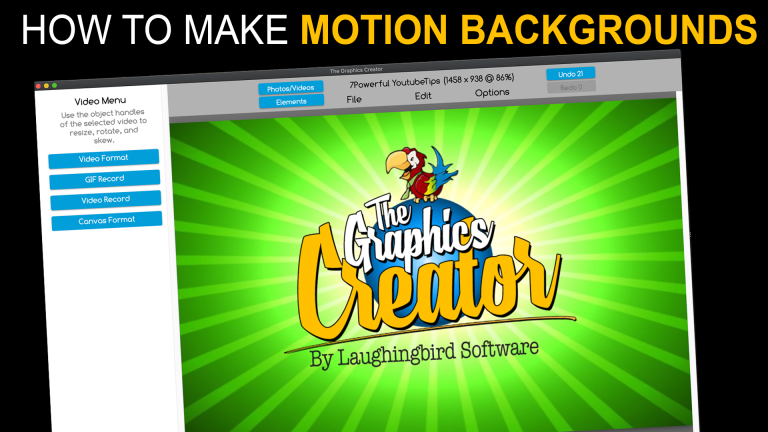
How to Create Cool Motion Backgrounds for Social Media with The Graphics Creator

0

Have you ever waved your hands in the air (and maybe even jumped up and down!) to get the attention of a friend across the room? Ya know, to say “Hey, I’m here, so come over and say hi”.

Well, in order to get attention from friends and potential customers or partners online, you need to do the same thing. Only, they won’t see you if you’re waving your hands around. So, what can you do instead to get noticed?

https://youtu.be/oz-58ZQQa40
Watch this video and see how easy it is to create MOTION GRAPHICS

Give them interesting and exciting visual content that makes them stop and take a look! Add a little bit of motion or animation to your social media and marketing designs. Not only will these designs jump out at your viewer, but they’ll also make you look sophisticated and professional.

Easily create cool motion graphics for social media, marketing, blog, web pages and more

Instead of spending months waving your hands in the air and jumping up and down, get attention in a way that really compels your viewer to read and click on your content. The Graphics Creator helps you design an attention-getting motion graphic image from pre-designed templates… and in just a few minutes.

Use Laughingbird Software’s motion design templates as a starting point or add animated elements to any static template.

Watch the video above for a quick and easy motion graphics tutorial.

How Do You Animate Graphics?

If you’re already a Photoshop expert, you can probably make an animated graphic without too much trouble.

For the rest of us small business owners, entrepreneurs, and beginning designers, you can make an animated gif or motion background in just a few minutes with The Graphics Creator.

Easily create a graphic and download the results to use in Facebook, Instagram, Twitter, and even Pinterest (did you know you can create a motion video pin?).

Although you might think you need an entire motion video to get attention, you really only need a cool moving background within your graphic.

How to Make a Moving Background

It’s easy. Just watch the video and follow along. You’ll create your first animated image in under 15 minutes.

Make these three EASY motion animated designs :

Facebook Brand Graphics

Use video motion in your Facebook timeline header and create an ad with the same brand design.

When people click over to your Facebook page from an ad, they’ll be comforted by seeing the same colors, fonts, and overall look and feel that they’re familiar with. They’ll know they’re in the right place and that they’re dealing with a professional company.

Animated Inspirational Quote

An encouraging, funny, or helpful quote gets more “likes” on social media than just a pretty image. Then add a design that moves in the background! Now you’re drawing the eyes of viewers that might not have been interested otherwise.

Note: Make sure that, once someone enjoys your inspiration, they know what action to take. Leave a call-to-action (specifically tell them what to do next), logo, link to your site (URL), professional name, or company name on your image.

Pinterest Video Pins

Yes, video pins! Pinterest has said repeatedly that video will get you more views. So what are you waiting for?

Get some ideas from Laughingbird Software’s Pinterest boards.

Motion backgrounds for every design

Add motion to ANY Graphics Creator template, whether it be a social media, logo, or even viral puzzle template! Watch the video above to see exactly how to place a motion background behind a puzzle image.

And let me tell you that whenever Marc or I have posted a viral puzzle design on Facebook, it gets more engagement than ANY other type of post.

This is because it’s fun and challenging, as well as the fact that people leave their answer in the comments (we’ve had up to a few hundred comments on just one post… within two days)! And then they watch to find out the correct answer (which we always post within a day or two).

So take that and add another cool, eye-catching element… a motion background!

Create Motion Graphics Fast

Now that you’ve read this article, you have absolutely no excuse for posting boring, unprofessional marketing designs and social media… ever again! Get attention quickly and double the clicks over to your site with a little movement in your visual content.

Bonus Idea: Stand out even more by using fun and expressive characters in your designs, moving or still. The Graphics Creator has hundreds of mannequin characters, mascots, and cartoon images already included!

Use these mascot characters over these animated backgrounds:

https://www.laughingbirdsoftware.com/downloads/cartoon-character-images/